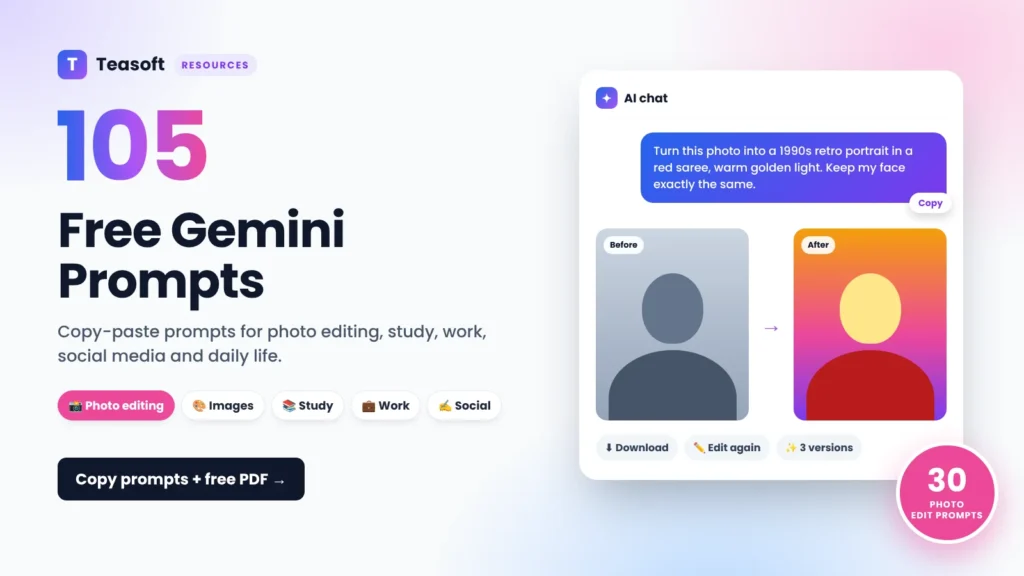
The best Gemini prompts are specific: say what you want, add details like style, lighting and format, and for photo edits tell Gemini what to keep the same. Below are 105 free copy-paste Gemini prompts: 30 photo editing prompts (headshots, backgrounds, retro saree looks, figurines, old photo restoration), 10 image generation prompts and prompts for study, work, social media, daily life and Google apps. Tap Copy, replace the [brackets] and paste into Gemini.
Google Gemini can now write, explain, plan and edit photos in one chat, and its photo editing trends have taken off in India. But the results depend on how you ask. A vague prompt gives a generic answer; a clear one gives you something you can actually use.
We’ve put together 105 ready-to-use Gemini prompts, grouped by what you want to do. Every prompt has a Copy button, and you can download the full list as a free PDF. Want to compare Gemini with other assistants? See our Google Gemini review and AI tools directory.
Free Gemini Prompts PDF
All 105 prompts, the prompt formula and photo editing tips on printable pages. No sign-up needed.

How to Write a Great Gemini Prompt
Good prompts follow a simple pattern. Use this formula and you’ll get better answers from Gemini, ChatGPT or any AI assistant:
| Part | What to include | Example |
|---|---|---|
| Task | What you want Gemini to do | “Turn this photo into a LinkedIn headshot” |
| Details | Style, colours, length, tone | “grey background, soft studio light, navy blazer” |
| Keep | What must not change | “keep my face exactly the same” |
| Format | Shape, size or output type | “square 1:1 crop” or “5 bullet points” |
How to Edit Photos in Gemini (3 Steps)
- Open Gemini in the app or at gemini.google.com and choose Create images from the tools menu.
- Upload your photo and paste one of the photo editing prompts below, replacing the [brackets] with your details.
- Refine and download. If something’s off, ask for one change at a time, such as “make the lighting warmer”, then download the image.

Gemini’s free image model is Nano Banana 2, with the newer Nano Banana 2.1 available on Google AI plans. Free use has limits, and Google adds a visible watermark and an invisible SynthID watermark to images created or edited in Gemini.
Gemini Photo Editing Prompts (30)
Upload your photo first, then paste the prompt.
- 1Turn this photo into a professional LinkedIn headshot. Keep my face and features exactly the same, add a plain light grey background, soft studio lighting and a [navy blazer / white shirt].
- 2Remove the background and replace it with a clean pure white background. Keep the edges of my hair natural and sharp.
- 3Change the background to [a sunset beach / a modern office / a mountain view]. Match the lighting on my face to the new background so it looks real.
- 4Brighten this photo, fix the colours and improve sharpness without making my skin look fake or plastic.
- 5Restore this old damaged photo: remove scratches, dust and fold marks, fix faded colours and sharpen the faces. Keep it looking natural.
- 6Colourise this black-and-white photo with realistic, natural colours that fit the [1970s / 1990s] era.
- 7Remove the [person / car / dustbin] in the background. Fill the space naturally so no one can tell anything was removed.
- 8Turn me into a 1990s Bollywood-style retro portrait wearing a [red / black] chiffon saree, with grainy film texture, warm golden light and a vintage poster feel. Keep my face exactly the same.
- 9Create a Diwali portrait of me in traditional [kurta / saree], holding a diya, with warm fairy lights and bokeh in the background. Keep my face the same.
- 10Create a 1/7 scale collectible figure of the person in this photo, standing on a round clear acrylic base on a computer desk, with the figure’s packaging box beside it. Keep the face recognisable.
- 11Make this photo look like it was shot on a professional DSLR at golden hour, with soft background blur and warm light.
- 12Change my outfit to a [black suit / denim jacket / white kurta] while keeping my face, pose and background exactly the same.
- 13Turn this photo into a hand-drawn pencil sketch on textured paper.
- 14Turn this photo into a soft watercolour painting with gentle brush strokes.
- 15Turn this photo into a Pixar-style 3D cartoon character, keeping my hairstyle and facial features recognisable.
- 16Make this product photo look professional: place the [product] on a clean marble surface with soft shadows and a blurred lifestyle background.
- 17Create 4 versions of this product photo for Instagram: white background, lifestyle setting, flat lay and close-up detail shot.
- 18Fix the lighting in this indoor photo. It’s too dark and yellow. Make it bright and natural like daylight.
- 19Straighten this photo, crop it to [1:1 square / 9:16 story / 16:9 thumbnail] and keep the main subject centred.
- 20Make the sky in this photo more dramatic with orange and pink sunset clouds. Keep everything else unchanged.
- 21Add gentle falling snow and a cosy winter mood to this photo without changing the people.
- 22Blend these two photos into one: put the person from the first photo into the scene from the second photo with matching light and shadows.
- 23Make this group photo look better: open everyone’s eyes, even out the lighting and keep every face natural.
- 24Turn this selfie into a cinematic movie poster with the title “[Your title]” in bold letters at the top.
- 25Change the season in this photo from summer to autumn, with orange and red leaves on the trees.
- 26Expand this photo to a wider 16:9 frame by extending the background naturally on both sides.
- 27Make my pet in this photo look like a royal portrait painting, wearing a tiny crown and velvet cape.
- 28Turn this room photo into a modern minimalist interior with [light wood / white] furniture, plants and warm lighting, keeping the same room layout.
- 29Create a YouTube thumbnail from this photo: make me look surprised, add a bright [yellow] background and big bold text “[Title]”.
- 30Add realistic studio lighting to this photo with a soft key light from the left and a subtle rim light behind me.
Gemini Image Generation Prompts (10)
No photo needed. Gemini creates the image from your words.
- 31Create a minimal flat-style logo for a [bakery] called “[Name]”, using [warm brown and cream] colours, on a white background.
- 32Create a festive Diwali greeting card with diyas, rangoli and the text “Happy Diwali from [Name]” in elegant gold letters.
- 33Create a realistic photo of a cosy Indian tea stall in the rain at dusk, with warm light and steam rising from cups.
- 34Create an infographic-style illustration explaining [the water cycle] for school students, with simple labels.
- 35Create a cute cartoon mascot for a [study app]: a friendly [owl] wearing glasses, in a clean vector style.
- 36Create a birthday invitation for [Name]’s [7th] birthday with a [space] theme, including the date [date] and time [time].
- 37Create a product mockup of a [white coffee mug] with the text “[Your text]” on a wooden table.
- 38Create a futuristic city skyline at night with flying cars and neon lights, in a cinematic wide shot.
- 39Create a set of 4 matching Instagram post backgrounds in [pastel blue] for a [skincare] brand.
- 40Create a realistic photo of [a red vintage scooter] parked on a colourful street in [Jaipur], golden hour light.
Gemini Prompts for Students (20)
Learn faster, revise smarter and understand hard topics.
- 41Explain [topic] like I’m a Class [10] student, using a simple real-life example and 5 key points.
- 42Make a 7-day study plan for my [subject] exam on [date]. I can study [2] hours a day. Include revision days.
- 43Create 10 multiple-choice questions on [chapter] with answers and a one-line explanation for each.
- 44Summarise this chapter into short revision notes with headings and bullet points: [paste text].
- 45Give me 5 memory tricks to remember [list of items / formulas].
- 46Check my answer and tell me what marks it would get out of [10], what’s missing and how to improve it: [paste answer].
- 47Explain this maths problem step by step, then give me a similar problem to try myself: [problem].
- 48Turn these notes into a table comparing [A] and [B] on key points: [notes].
- 49Help me write an essay outline on “[topic]” with an introduction, 3 main points and a conclusion.
- 50Quiz me on [topic] one question at a time. Wait for my answer before giving the next question.
- 51What are the most important topics to study for [exam name] in [subject]? Rank them by importance.
- 52Translate this paragraph into simple [Hindi / English] and explain any difficult words: [text].
- 53Explain the difference between [concept 1] and [concept 2] with examples.
- 54Create flashcards for [topic] in a question-and-answer format.
- 55Suggest 5 project ideas for a [Class 12 / college] [science] project with materials needed.
- 56Help me prepare for a viva on [topic]. Ask me 10 likely questions and suggest good answers.
- 57Find the mistakes in my code and explain how to fix them: [paste code].
- 58Summarise this YouTube lecture into key points: [paste YouTube link].
- 59Make a mind map in text form for [topic] with main branches and sub-points.
- 60I have [3] days before my exam and I’m behind. Help me plan what to study first and what to skip.
Gemini Prompts for Work (20)
Emails, meetings, reports and everyday office tasks.
- 61Write a polite email to [manager] asking for leave from [date] to [date] for [reason]. Keep it short and professional.
- 62Rewrite this email to sound more professional and friendly: [paste email].
- 63Summarise this long email thread into 5 bullet points with any action items for me: [paste thread].
- 64Turn these meeting notes into a clear summary with decisions, action items, owners and deadlines: [notes].
- 65Write a follow-up email to [client] who hasn’t replied in [5] days about [topic].
- 66Create an agenda for a [30]-minute meeting about [topic] with time slots.
- 67Draft a short weekly update for my team covering: [points].
- 68Explain this Excel formula and how to use it: [formula].
- 69Write an Excel or Google Sheets formula to [calculate total sales by month from column A and B].
- 70Create a simple project plan for [project] with tasks, owners and a 4-week timeline in a table.
- 71Write a professional reply declining this request politely: [paste message].
- 72Turn this report into 5 slides with a title and 3 bullet points each: [paste report].
- 73Help me prepare for a job interview for a [role] position. Ask me 10 likely questions one by one.
- 74Write a LinkedIn post about [achievement] in a humble, friendly tone, under 120 words.
- 75Improve my resume bullet point using an action verb and a measurable result: [bullet].
- 76Write a short, polite message reminding a client about an unpaid invoice of [amount] due on [date].
- 77Create a checklist for onboarding a new [role] in their first week.
- 78Give me 5 ideas to improve [process] in my team, with pros and cons for each.
- 79Draft a customer support reply apologising for [issue] and explaining the next steps.
- 80Write a resignation email to [manager] with [30] days’ notice, thanking them for the opportunity.
Gemini Prompts for Writing and Social Media (10)
Captions, posts, scripts and content ideas.
- 81Write 5 Instagram captions for a photo of [describe photo], with 3 relevant hashtags each.
- 82Give me 10 YouTube video ideas for a channel about [topic], with catchy titles.
- 83Write a 60-second Reels script about [topic] with a strong hook in the first 3 seconds.
- 84Write a blog post outline on “[topic]” with H2 and H3 headings and FAQs.
- 85Rewrite this paragraph to be clearer and shorter without losing meaning: [text].
- 86Create a 2-week content calendar for a [bakery] Instagram account with post ideas and captions.
- 87Write a catchy product description for [product] in under 80 words.
- 88Turn this blog post into a Twitter/X thread of 6 posts: [paste text].
- 89Give me 10 attention-grabbing headline options for an article about [topic].
- 90Write a WhatsApp broadcast message announcing [offer] for my [shop], friendly and under 60 words.
Gemini Prompts for Everyday Life (10)
Travel, money, health basics and planning.
- 91Plan a [3]-day trip to [city] on a budget of ₹[amount], with places to visit, food to try and how to get around.
- 92Make a weekly vegetarian meal plan for a family of [4] with a shopping list.
- 93Explain this bill or document in simple words and tell me what I need to do: [paste text or upload photo].
- 94Help me create a monthly budget for a salary of ₹[amount] with savings, rent, food and bills.
- 95Suggest 5 birthday gift ideas for my [mother] who likes [hobbies], under ₹[amount].
- 96Create a simple 20-minute home workout for beginners with no equipment.
- 97Compare [phone A] and [phone B] for [camera / battery / gaming] in a table.
- 98Write a short speech for my [brother’s wedding / farewell party], warm and funny, under 2 minutes.
- 99Help me write a complaint to [company] about [issue] with my order number [number].
- 100Give me a step-by-step checklist for [moving to a new house / starting college].
Bonus: Gemini Prompts for Google Apps (5)
Gemini can work with Gmail, Drive, YouTube and Maps when you connect them.
- 101Find emails from [sender] about [topic] in my Gmail and summarise what they need from me.
- 102Find the latest [invoice / offer letter] in my Google Drive and list the key dates and amounts.
- 103Summarise this YouTube video and list the 5 most useful tips: [YouTube link].
- 104Find [vegetarian restaurants] near [area] that are open now and good for families.
- 105Draft a reply in Gmail to the last email from [name], accepting the meeting and suggesting [time].
7 Tips for Better Gemini Results
- Be specific. “Blue sky with soft clouds” beats “make it nicer”.
- Say what to keep. For photos, always add “keep my face the same”.
- Use a good photo. Sharp, well-lit photos give the best edits.
- Change one thing at a time. Small follow-up requests work better than one huge prompt.
- Ask for options. “Give me 3 versions” helps you pick the best one.
- Check facts. Gemini can be confidently wrong. Verify dates, numbers and formulas.
- Finish with free tools. Compress, resize or remove the background of your final image with Teasoft’s free image tools.
Other AI Tools Worth Trying
Gemini is great, but other AI tools may suit some tasks better. Read our reviews:
- Writing and everyday help: ChatGPT and Claude. Compare them in ChatGPT vs Gemini.
- Research with sources: Perplexity AI.
- Images and design: Canva AI, Leonardo AI, Midjourney, Adobe Firefly and Recraft.
- Video and voice: CapCut, Pika and ElevenLabs.
Using ChatGPT too? Grab our ChatGPT cheat sheet with 100+ prompts, or browse the best free AI tools.
Frequently Asked Questions
How do I edit photos with Gemini?
Open the Gemini app or website, choose Create images from the tools menu, upload your photo and type what you want to change, such as “change the background to a beach”. Gemini edits the photo and you can download the result.
Is Gemini photo editing free?
Yes. Gemini’s Nano Banana 2 image model is free to use in the Gemini app, with usage limits. Google AI plans give access to the newer Nano Banana 2.1 model and higher limits.
Do Gemini images have a watermark?
Yes. Google says images created or edited in the Gemini app include a visible watermark and an invisible SynthID digital watermark to show they are AI-generated.
How do I keep my face the same in Gemini photo edits?
Add a clear instruction such as “keep my face and features exactly the same” to your prompt, use a sharp, well-lit photo, and change one thing at a time.
Are these Gemini prompts free to use?
Yes. All 105 prompts are free to copy, use and adapt. You can also download them as a free PDF.
Is it safe to upload my photo to Gemini?
Only upload photos you’re comfortable sharing with an online service. Avoid ID documents and photos of children, review your Gemini activity settings, and never use AI-edited photos for passports or official documents.
Final Takeaway: Copy, Customise, Create
The fastest way to get great results from Gemini is to start from a proven prompt and make it your own. Pick a few prompts from this list, replace the [brackets] with your details and save the ones that work best.
Bookmark this page or download the free PDF, and share it with friends who want to try Gemini’s photo editing.
Explore more AI tools
Honest reviews and comparisons of Gemini, ChatGPT, Claude, Canva AI, Midjourney and more, all in one place.