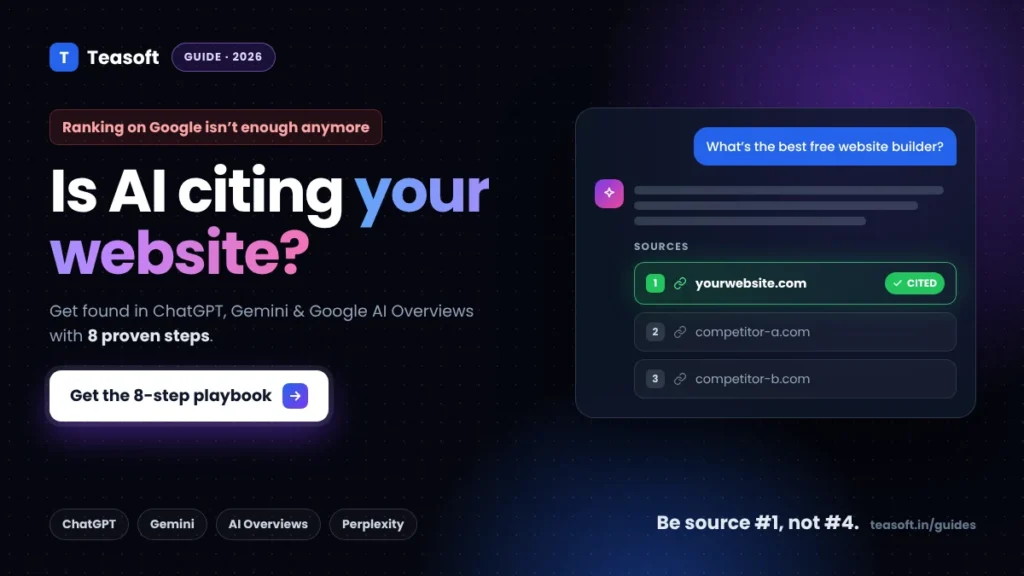
To get found in AI search, make sure AI crawlers like Googlebot, Bingbot and OAI-SearchBot can reach your pages, get indexed in both Google and Bing, and answer each question clearly in the first 40–60 words of a section. Then structure pages with question headings, lists and tables, prove your expertise with named authors and sources, and earn mentions on other trusted sites. There is no secret AI file or special code: good, crawlable, quotable content gets cited.
More people now ask ChatGPT, Gemini or Google’s AI Overviews instead of clicking through ten blue links. If your page isn’t one of the sources those answers cite, you can rank well and still lose the visit.
The good news: AI search engines still find content the old-fashioned way, through crawling and search indexes. In this guide you’ll learn exactly how ChatGPT search, Google AI Overviews, AI Mode, Gemini and Perplexity pick their sources, and the 8 steps we use at Teasoft to get found in AI search and cited.
What Is AI Search (and How Is It Different from Google)?
AI search is when an AI tool writes the answer for you and links to a few sources, instead of showing a list of pages. The main players in 2026 are ChatGPT search, Google AI Overviews and AI Mode, Gemini, Perplexity and Microsoft Copilot. Each one gets its sources from a slightly different place:
| AI search engine | Where it finds pages | Crawler to allow | What helps most |
|---|---|---|---|
| ChatGPT search | OpenAI’s own index plus search partners such as Bing | OAI-SearchBot |
Bing indexing, clear answers, mentions across the web |
| Google AI Overviews & AI Mode | Google Search index | Googlebot |
Normal SEO, helpful content, being eligible for a snippet |
| Google Gemini | Google Search (grounding) | Googlebot |
Same as Google Search |
| Perplexity | Its own index and live web results | PerplexityBot |
Fresh, well-sourced, easy-to-quote pages |
| Microsoft Copilot | Bing index | Bingbot |
Bing Webmaster Tools, IndexNow |
Notice the pattern: almost every AI answer is built on top of a regular search index. That is why classic SEO still matters, and why getting indexed in both Google and Bing is the single biggest win for most sites.
How AI Search Engines Choose Which Websites to Cite
When you ask an AI tool a question, it doesn’t search once. Google calls this query fan-out: the AI breaks your question into several related searches, gathers results for each, then picks the clearest passages to build one answer. ChatGPT and Perplexity work in a similar way.

In practice, the pages that get cited tend to share four things:
- They are crawlable and indexed in the search index the AI uses.
- They answer directly. A short, self-contained answer is easy for an AI to lift and quote.
- They are trusted. Other sites link to them or mention the brand, and the author clearly knows the topic.
- They cover the follow-ups. One page that answers the main question and the next three questions wins more fan-out searches.
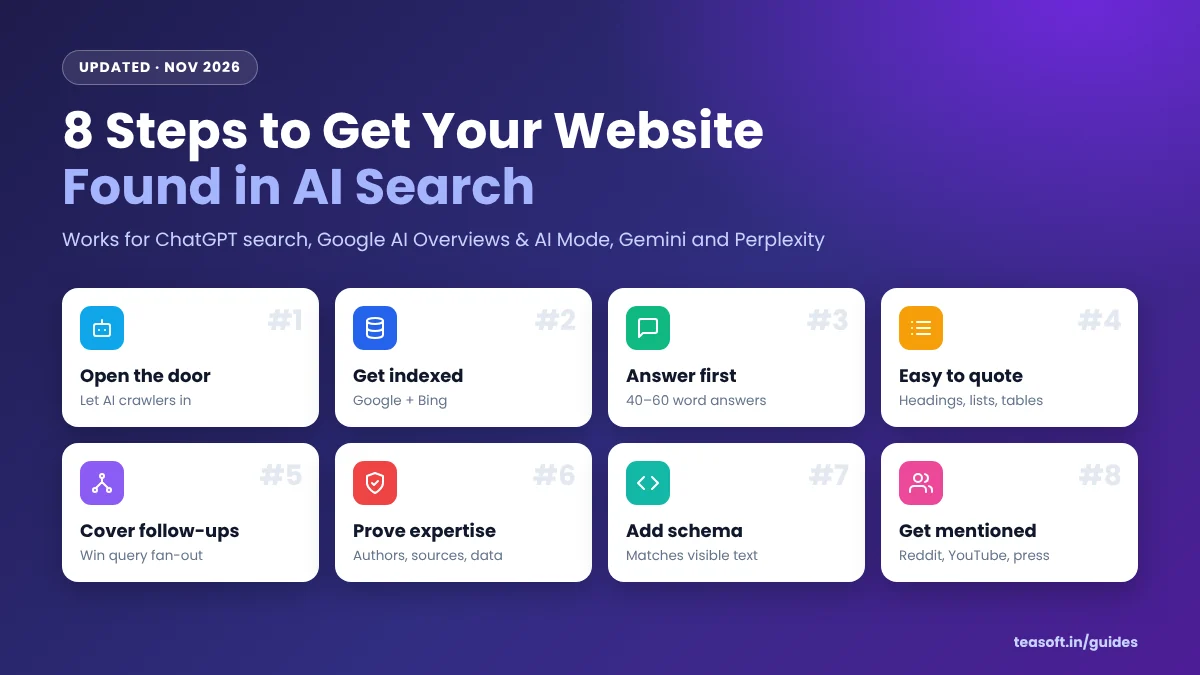
How to Get Found in AI Search: 8 Steps
Work through these in order. The first two are technical and take about an hour; the rest improve every page you publish from now on.
Step 1: Let AI crawlers reach your site
If a bot is blocked in your robots.txt, that AI search engine can’t read your pages, so it can’t cite them. Open yoursite.com/robots.txt and make sure you are not blocking these search crawlers:
User-agent: Googlebot
Allow: /

User-agent: Bingbot
Allow: /

User-agent: OAI-SearchBot
Allow: /

User-agent: PerplexityBot
Allow: /

Sitemap: https://yoursite.com/sitemap_index.xml
Two bots are often confused with search crawlers. GPTBot collects content to train OpenAI’s models, and Google-Extended controls whether Google may use your content for Gemini training and grounding. Blocking them does not remove you from ChatGPT search or Google AI Overviews, so you can make that choice separately.
Also check your firewall or CDN. Some security settings block “AI bots” with one switch, which quietly removes you from ChatGPT and Perplexity results.
Step 2: Get indexed in Google and Bing
Google AI Overviews, AI Mode and Gemini use Google’s index. ChatGPT search and Copilot lean on Bing. So you need both:
- Verify your site in Google Search Console and submit your XML sitemap.
- Verify your site in Bing Webmaster Tools. You can import it straight from Search Console in a couple of clicks.
- Turn on IndexNow. It pings Bing and other engines the moment you publish or update a page. Rank Math, Yoast and most SEO plugins have it built in.
- Inspect your key pages with the URL Inspection tool to confirm they’re indexed and allowed to show a snippet.
Google’s own guidance is clear: to appear as a link in AI Overviews or AI Mode, a page must be indexed and eligible to show in Google Search with a snippet. Avoid nosnippet or a tiny max-snippet on pages you want cited.
Step 3: Answer the question in the first 40–60 words
AI tools love a clean, quotable answer. Put a direct 40–60 word answer right under each main heading, then add the detail below it. Write it so it makes sense on its own, without the paragraph before it.
Step 4: Make your content easy to quote
Structure helps both readers and AI pull the right part of your page:
- Use question-style H2s and H3s that match how people ask (“How do I…”, “What is…”, “Is X free?”).
- Keep paragraphs to 2–4 sentences.
- Use numbered steps for processes and tables for comparisons, prices and specs.
- Use real numbers, names and dates instead of vague words like “many” or “recently”.
- Add a short FAQ section at the end for the questions people ask next.
Step 5: Cover the follow-up questions
Because of query fan-out, the AI searches for the obvious next questions too. If your page on “best free AI tools” also answers “is ChatGPT still free?” and “ChatGPT vs Gemini”, it can be pulled into more of those sub-searches.
To find follow-ups, look at Google’s “People also ask” box, ask ChatGPT or Perplexity “what would someone ask next about this?”, and check the queries in your Search Console Performance report. Then answer them on the page or link to a dedicated article. Our guide to the best free AI tools is a good example of this hub-and-follow-up layout.
Step 6: Prove your experience and expertise
AI systems try to cite sources people can trust. Show them why your page is one:
- Add a named author with a short bio and relevant experience on every article.
- Share first-hand proof: your own tests, screenshots, photos, results or original data.
- Link to sources for statistics and claims.
- Show a clear “Updated” date and actually refresh facts, prices and screenshots.
- Make About, Contact and policy pages easy to find.
Step 7: Add structured data that matches your page
Google says you don’t need any special schema to appear in AI features. Still, structured data helps search engines understand who wrote a page, what it’s about and when it was updated. Use Article (or BlogPosting), Organization, Person for authors, BreadcrumbList and, where it fits, FAQPage, HowTo or Product.
The rule that matters: schema must match what’s visible on the page. Plugins like Rank Math add most of it for you. If you write JSON-LD by hand, check it with our free JSON formatter and validator and then Google’s Rich Results Test.
Step 8: Get mentioned on other trusted sites
AI answers often lean on what the wider web says about a brand, not just what you say about yourself. Studies of ChatGPT citations keep finding that sites with more referring domains and more brand mentions get cited more often.
- Answer real questions on Reddit and Quora where your expertise fits (helpfully, not spammy).
- Publish short YouTube videos and LinkedIn posts on the same topics as your best guides.
- Earn links with original data, free tools and templates people want to share.
- Keep your brand name, description and links consistent everywhere: your site, social profiles, directories and review sites.
How to Check If Your Website Shows Up in AI Search
You can’t improve what you don’t measure. Here is a simple monthly routine:
- Ask the AI tools directly. Make a list of 10–20 questions your pages answer and type them into ChatGPT (with search on), Gemini, Perplexity and Google. Note which sources get cited.
- Check Google Search Console. Clicks and impressions from AI Overviews and AI Mode are included in the Performance report under the “Web” search type.
- Track AI referrals in GA4. In Traffic acquisition, filter the session source for
chatgpt.com,perplexity.ai,gemini.google.comandcopilot.microsoft.com. - Look at your server logs or CDN analytics for visits from OAI-SearchBot, PerplexityBot, Googlebot and Bingbot to confirm they can crawl you.
AI Search Optimization Checklist
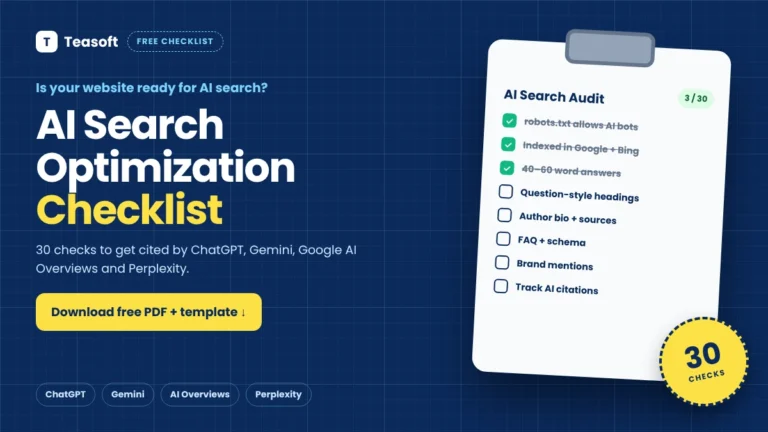
Use this checklist to get found in AI search on every important page you publish:

AI SEO Myths You Can Ignore
- “You need an llms.txt file.” Google says you don’t need new AI text files or special markup to appear in AI Overviews or AI Mode, and no major AI search engine has confirmed it uses llms.txt for ranking. It’s harmless to add, but don’t expect it to move the needle.
- “Blocking GPTBot hides you from ChatGPT.” GPTBot is for training. ChatGPT search uses OAI-SearchBot.
- “AI SEO replaces normal SEO.” AI search sits on top of search indexes, so crawlability, indexing, links and helpful content still do most of the work.
- “Stuff in more keywords.” AI picks clear, specific answers, not repeated phrases.
- “Long content always wins.” Complete beats long. Answer the question and the follow-ups, then stop.
Quick Setup for WordPress Sites
If your site runs on WordPress, most of the technical work takes about 15 minutes:
- In Settings → Reading, make sure “Discourage search engines from indexing this site” is unchecked.
- In Rank Math (or Yoast), turn on the sitemap, Schema and Instant Indexing / IndexNow modules.
- Edit
robots.txtfrom your SEO plugin and confirm the crawlers in Step 1 aren’t blocked. - Fill in author bios under Users → Profile so every post has a real byline.
- Keep pages fast: compress images with our free image compressor and choose reliable hosting from our web hosting directory.
Frequently Asked Questions
How do I get my website to show up in ChatGPT search?
Allow OAI-SearchBot in your robots.txt, get your site indexed in Bing through Bing Webmaster Tools and IndexNow, and write pages that answer questions clearly near the top. Brand mentions and links from other trusted sites also make ChatGPT more likely to cite you.
How do I get into Google AI Overviews?
Google says there are no special requirements. Your page must be indexed and eligible to show in Google Search with a snippet. After that, helpful, well-structured content that directly answers the question gives you the best chance of being linked in AI Overviews and AI Mode.
Do I need llms.txt for AI SEO?
No. Google says you don’t need new AI text files or markup to appear in its AI features, and no major AI search engine has confirmed using llms.txt for ranking. Focus on crawlability, indexing and clear content first.
Will blocking GPTBot remove my site from ChatGPT?
No. GPTBot collects content for training OpenAI’s models. ChatGPT search uses a different crawler, OAI-SearchBot. You can block GPTBot and still appear in ChatGPT search as long as OAI-SearchBot is allowed.
Is AI SEO different from normal SEO?
Mostly no. AI search is built on top of search indexes, so normal SEO still does most of the work. The main differences are writing short, quotable answers, covering follow-up questions and building brand mentions across the web.
How long does it take to get found in AI search?
Once a page is crawled and indexed, it can be cited within days. For new sites, getting indexed and building enough trust usually takes a few weeks to a few months. Google notes that recrawling changes can take from several days to several months.
Final Takeaway: Be the Easiest Source to Cite
Learning how to get found in AI search isn’t about tricks. Open the door to crawlers, get indexed in Google and Bing, then make every page the clearest, most trusted answer to its question and the questions that follow.
Start with Steps 1 and 2 today, since they take about an hour, then apply Steps 3 to 8 to your top five pages this week. Re-test in ChatGPT, Gemini and Perplexity next month and keep improving what works.
Find the right AI tools for your workflow
Browse hands-on reviews of AI tools for writing, research and SEO, filter by task and price, and compare any two side by side.

Amandeep Bindra is the Founder of AdBindra Corporation, the parent company of Teasoft. With over a decade in web development, AI and digital marketing, he shares practical, tested insights on AI tools, web technology and productivity.