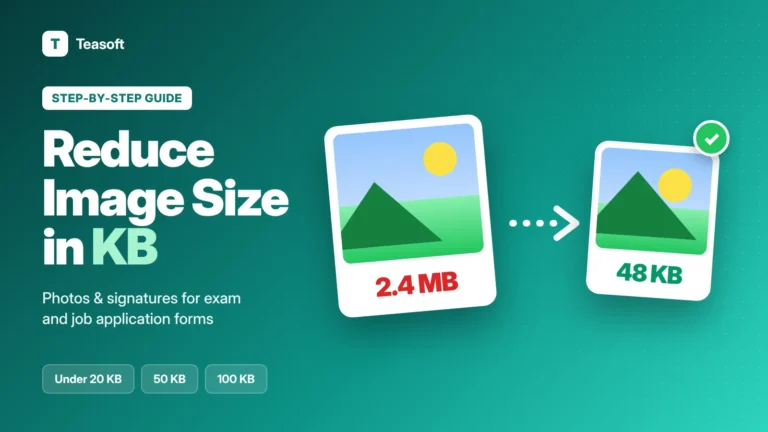
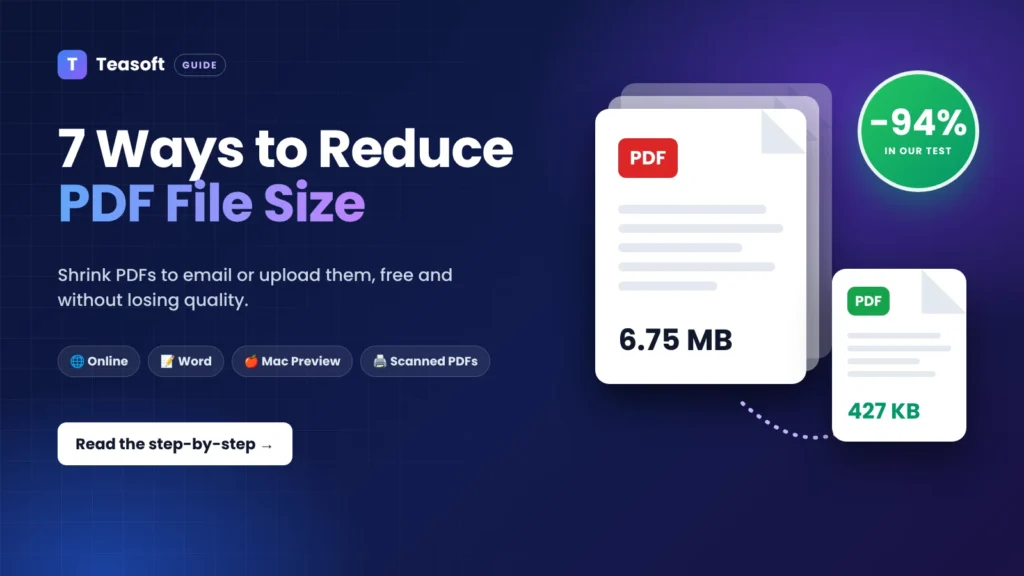
The easiest way to reduce PDF file size is to use a free online compressor such as Teasoft’s Compress PDF: add your file, choose Recommended compression, click Compress PDF and download. In our test, a 6.75 MB PDF dropped to 427 KB (94% smaller). You can also save from Microsoft Word with Minimum size, use Reduce File Size in Mac Preview, try iLovePDF, Adobe Acrobat online or Smallpdf, or shrink the images inside a scanned PDF and rebuild it.
“Attachment too large.” “File size must be less than 2 MB.” If you’ve tried to email a PDF or upload one to a job, exam or government portal, you’ve probably seen a message like this. Scanned documents and PDFs full of photos are often 10 times bigger than they need to be.
In this guide you’ll learn 7 free ways to reduce PDF file size, step by step: online tools, apps already on your computer and a trick for scanned PDFs. We’ve included our own free Teasoft PDF tools alongside other popular options, and we’re clear about which is which.

7 Ways to Reduce PDF File Size Compared
| # | Method | Best for | Cost | Where files go |
|---|---|---|---|---|
| 1 | Teasoft Compress PDF ⭐ | Most PDFs, private documents | Free | In your browser |
| 2 | Microsoft Word | PDFs you create from Word | Included with Word | On your computer |
| 3 | Mac Preview | Mac users, offline | Free, built in | On your Mac |
| 4 | iLovePDF | Choosing a compression level | Free with limits | Uploaded |
| 5 | Adobe Acrobat online | Adobe users, large files | Free to try | Uploaded |
| 6 | Smallpdf | Quick one-off compression | Free with limits | Uploaded |
| 7 | Shrink images and rebuild ⭐ | Scanned and photo-heavy PDFs | Free | In your browser |
1. Compress PDF Online with Teasoft (Free and Private)
Teasoft Compress PDF is our own free tool. It runs in your browser, so your PDFs are never uploaded to a server, which matters for ID cards, certificates and bank statements. You can compress up to 50 PDFs at once, each up to 150 MB, with no sign-up and no watermark.
- Open the tool and add your PDF by tapping the upload box or dragging it in. You’ll see a thumbnail, page count and file size.
- Choose a compression level. Light keeps text exactly as it is, Recommended gives good quality at a much smaller size, and Strong makes the smallest file.
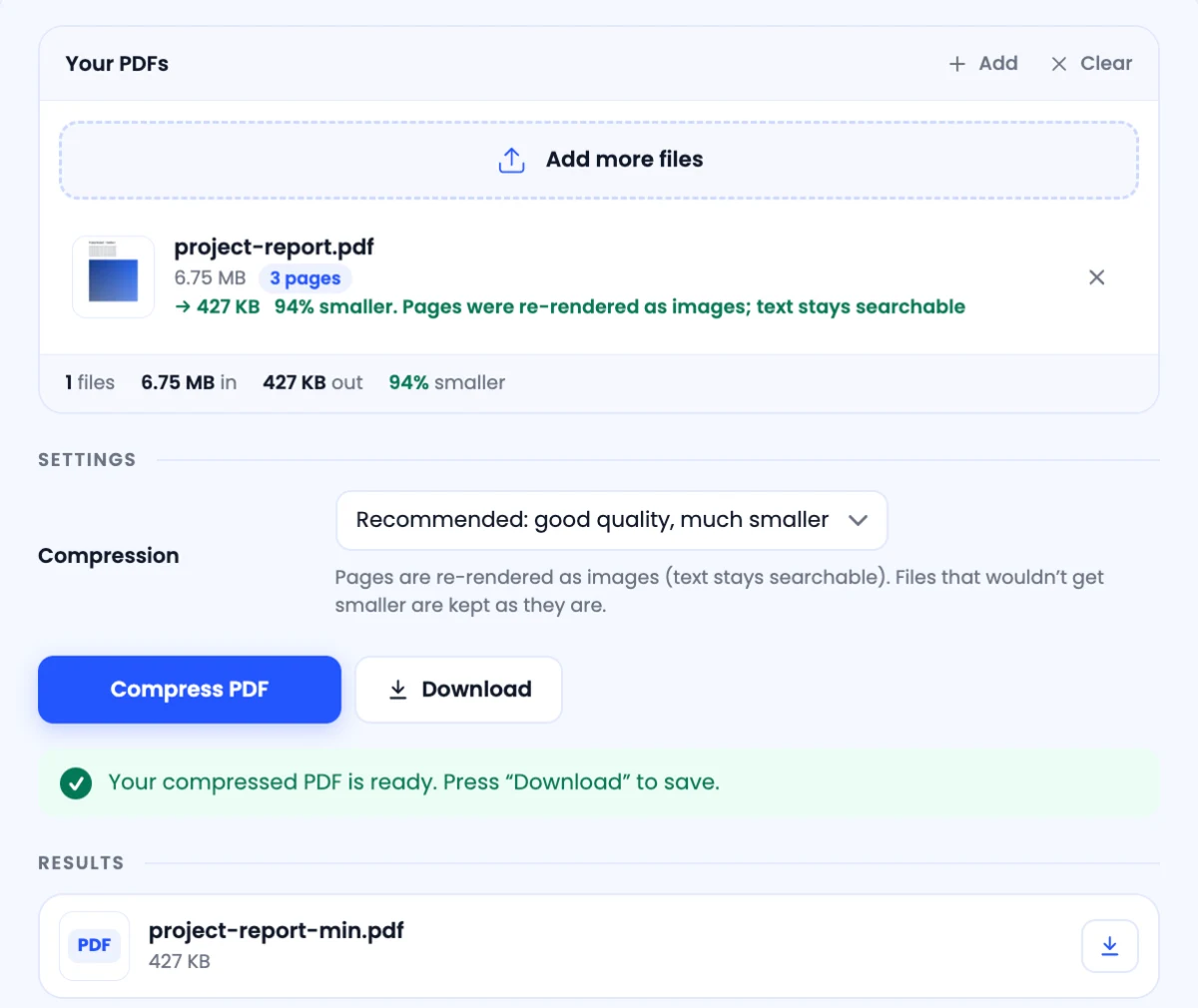
- Click Compress PDF. The tool shows the new size and how much you saved. If a file wouldn’t get smaller, the original is kept.
- Click Download. One file downloads as a PDF. Several files download together as a ZIP.
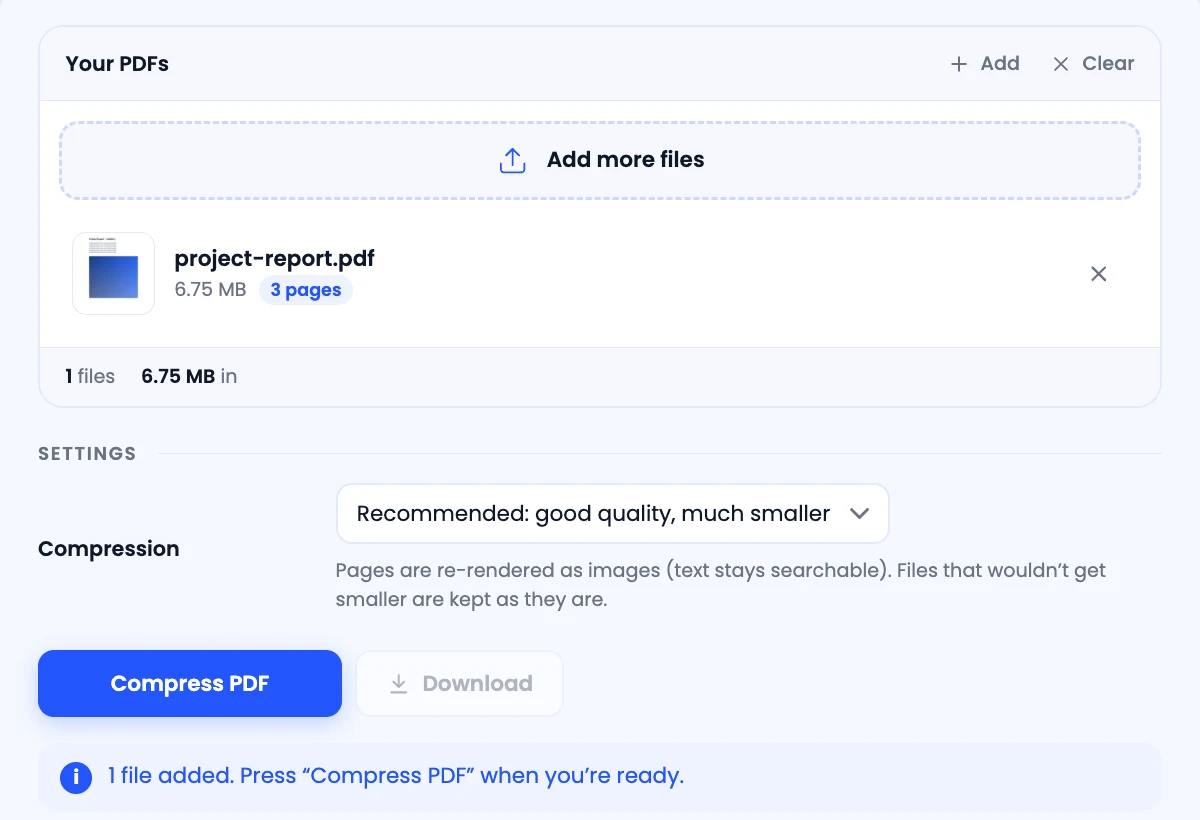
In our test, a 3-page, 6.75 MB report with large images became a 427 KB PDF with Recommended compression, 94% smaller, and its text stayed searchable.
2. Save a Smaller PDF from Microsoft Word
If you’re creating the PDF from a Word document, such as a resume or report, you can make it smaller before it’s even a PDF. This works in Word for Windows.
- Open your document and go to File → Save As.
- Choose PDF as the file type.
- Next to Optimize for, select Minimum size (publishing online).
- Click Save.
3. Reduce PDF Size with Mac Preview
Every Mac has a free, offline way to shrink PDFs in the Preview app.
- Open the PDF in Preview.
- Choose File → Export (not “Export as PDF”).
- Open the Quartz Filter menu and choose Reduce File Size.
- Give the file a new name and click Save.
4. Compress PDF with iLovePDF
iLovePDF is a popular online PDF toolkit. Its compressor lets you pick how hard to compress.
- Open iLovePDF’s Compress PDF page and select your file.
- Choose a compression level: Extreme, Recommended or Less compression.
- Click Compress PDF and download the result.
Good to know: files are uploaded to iLovePDF’s servers, and the free version has limits on file size and how many files you can process.
5. Compress PDF with Adobe Acrobat Online
Adobe, the company that created the PDF format, offers a free online compressor in its browser-based Acrobat tools.
- Open Adobe Acrobat’s Compress PDF page.
- Select your PDF.
- Choose High, Medium or Low compression.
- Download the compressed file. Adobe may suggest signing in to save or share it.
Good to know: your file is uploaded to Adobe. It’s free to try, and a free Adobe account unlocks more online tools.
6. Compress PDF with Smallpdf
Smallpdf is another well-known online PDF tool with a simple drag-and-drop compressor.
- Open Smallpdf’s Compress PDF page and drop in your file.
- Pick the basic compression option. Smallpdf’s stronger compression is a Pro feature.
- Download the smaller PDF.
Good to know: the free plan limits how many documents you can download, so it suits occasional use.
7. Shrink the Images and Rebuild the PDF (Best for Scans)
Scanned PDFs and photo documents are really just big images inside a PDF. When normal compression isn’t enough, shrinking those images directly gives you the most control. You can do all of it free with Teasoft’s tools, in your browser.
- Turn the pages into images with PDF to JPG.
- Compress the images with the Image Compressor. 70% quality and a maximum width of about 1600 px works well for A4 pages.
- Rebuild the PDF with JPG to PDF, keeping the pages in the right order.
Which Method Should You Use?

- Too big to email or upload: Teasoft Compress PDF with Recommended compression.
- Private or official documents: a tool that works in your browser, such as Teasoft, or an offline method like Word or Mac Preview.
- You made it in Word: save with Minimum size.
- Scanned or photo-heavy: Strong compression, or shrink the images and rebuild.
- Only some pages are needed: split or remove pages first.
Why Is My PDF So Large?
- High-resolution images. Phone photos and scans at 600 DPI add megabytes per page.
- Scanned pages. Each scanned page is a full image, even if it only contains text.
- Embedded fonts and extras. Fonts, layers, form fields and metadata all add size.
- Merged files. Combining several PDFs can repeat the same fonts and images.
Text-only PDFs are usually small already, so they won’t shrink much. Image-heavy PDFs shrink the most.
Frequently Asked Questions
How can I reduce PDF file size for free?
Use a free online compressor such as Teasoft Compress PDF: add your PDF, choose Recommended compression, click Compress PDF and download. You can also save from Microsoft Word with Minimum size, use Reduce File Size in Mac Preview, or try iLovePDF, Adobe Acrobat online or Smallpdf.
How do I reduce PDF size without losing quality?
Start with a light or recommended compression level, which keeps text sharp and reduces image size moderately. Only use strong compression if the file is still too big, and always compare the result with your original.
How do I compress a PDF to under 1 MB or 2 MB?
Use Recommended compression first. If it is still too big, try Strong compression, keep only the pages you need with Split PDF, or shrink the images inside a scanned PDF and rebuild it with JPG to PDF.
Why is my scanned PDF so large?
Each scanned page is saved as a full image, often at high resolution. Compressing those images, or rescanning at 150–200 DPI, makes scanned PDFs much smaller.
Is it safe to compress PDFs online?
It depends on the tool. Many online compressors upload your file to their servers. Teasoft Compress PDF processes files in your browser, so they are never uploaded, which is safer for ID documents, certificates and bank statements.
Can I reduce PDF size on my phone?
Yes. Browser-based tools like Teasoft Compress PDF work in Chrome or Safari on Android and iPhone. Pick the PDF from your files, compress it and download the smaller version.
Final Takeaway: Smaller PDFs in Under a Minute
For most people, an online compressor with a Recommended setting is the fastest way to reduce PDF file size. If the document is private, use a tool that works in your browser or an offline option like Word or Mac Preview. For scans, shrink the images or keep only the pages you need.
Bookmark this guide for the next time a PDF is “too large”, and share it with anyone who struggles with upload limits.
Compress your PDF now, free
Private, in-browser PDF tools with no sign-up and no watermark. Compress, merge, split, convert and sign.