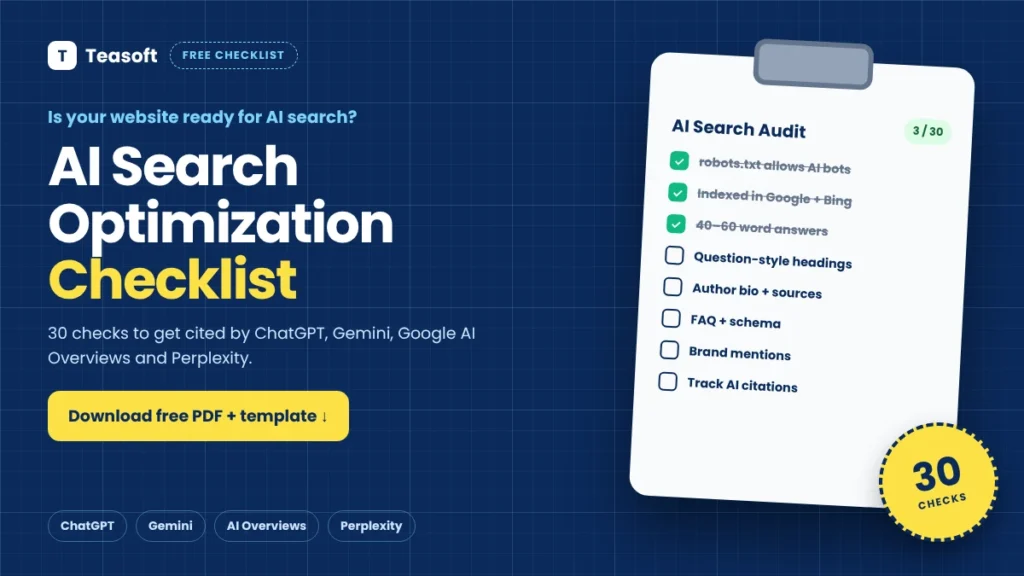
This free AI search optimization checklist has 30 checks in 5 groups: Crawl & Index, Answer-First Content, Trust & Expertise, Reach & Mentions, and Measure & Improve. Tick them off below to score your page out of 30, or download the printable PDF and the Excel/Google Sheets audit template. Start with Crawl & Index: if AI search bots can’t reach and index your pages, nothing else matters.
Getting found in ChatGPT, Gemini, Google AI Overviews and Perplexity isn’t magic. It comes down to a set of checks you can run on any page in about 15 minutes. We turned the steps from our guide on how to get found in AI search into one practical AI search optimization checklist you can use, print and share.
Download the AI search optimization checklist
2-page printable PDF plus an Excel audit template with automatic scores for 5 pages and an AI citation tracker.
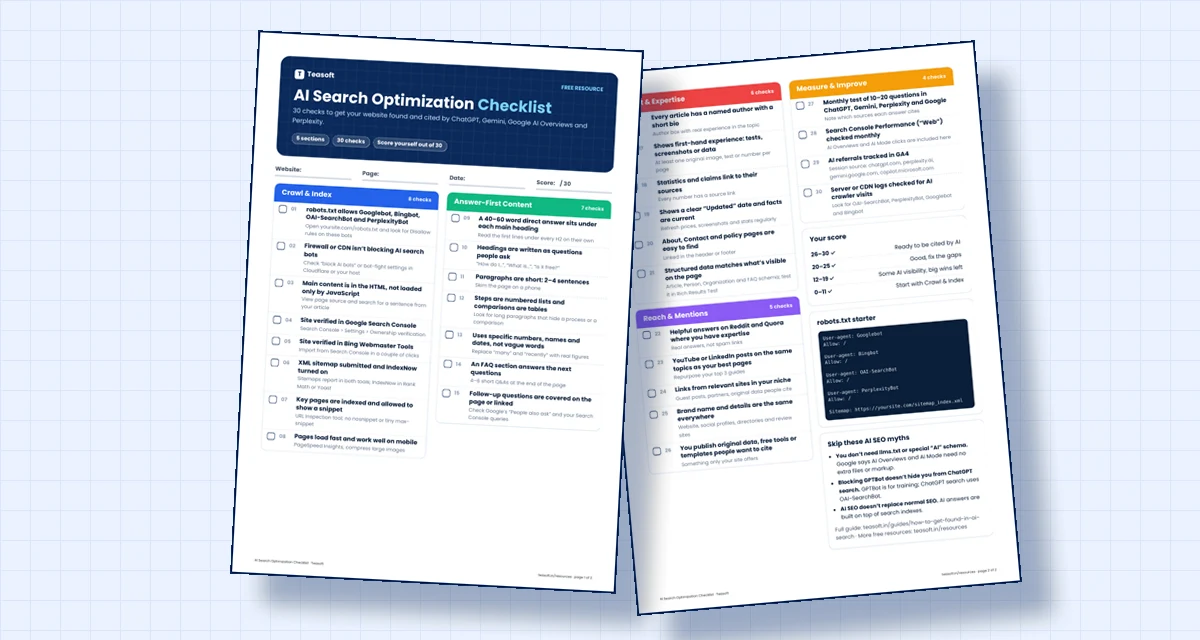
The AI Search Optimization Checklist (30 Checks)
Tick each item your page already does. Your score updates as you go and is saved in this browser, so you can come back later.
Crawl & Index (8 checks)
Answer-First Content (7 checks)
Trust & Expertise (6 checks)
Reach & Mentions (5 checks)
Measure & Improve (4 checks)
What Your Score Means
| Score | What it means | What to do next |
|---|---|---|
| 26–30 | Ready to be cited by AI | Keep content fresh and track your citations every month. |
| 20–25 | Good foundation | Fix the unticked items in Trust and Reach first. |
| 12–19 | Some AI visibility, big wins left | Rewrite key sections answer-first and add an FAQ. |
| 0–11 | AI search can’t use your page well yet | Start with Crawl & Index. Those 8 checks unlock everything else. |
robots.txt Starter for AI Search Bots
The first item on this AI search optimization checklist is the one most sites get wrong. Make sure your robots.txt doesn’t block the crawlers AI search engines use:
User-agent: Googlebot
Allow: /

User-agent: Bingbot
Allow: /

User-agent: OAI-SearchBot
Allow: /

User-agent: PerplexityBot
Allow: /

Sitemap: https://yoursite.com/sitemap_index.xml
Blocking GPTBot (OpenAI’s training crawler) or Google-Extended is a separate choice and does not remove you from ChatGPT search or Google AI Overviews. See Google’s guidance on AI features for the official rules.
How to Use the Excel Audit Template
- Open the template in Excel, or upload it to Google Drive and open it with Google Sheets.
- Add up to 5 page URLs in the “Page URL” row of the Page Audit sheet.
- Pick Yes, Partly or No for each check. Cells turn green, amber or red, and the score and rating at the bottom update automatically.
- Fix the red items first, starting with Crawl & Index, then re-score the page.
- Track results monthly on the AI Citation Tracker sheet: ask the same questions in ChatGPT, Gemini, Google and Perplexity and note whether your page is cited.
AI SEO Myths This Checklist Skips
- “You need an llms.txt file.” Google says you don’t need new AI text files or special markup for AI Overviews or AI Mode.
- “Blocking GPTBot hides you from ChatGPT.” ChatGPT search uses OAI-SearchBot, not GPTBot.
- “AI SEO replaces normal SEO.” AI answers are built on search indexes, so crawlability, indexing and helpful content still do most of the work.
For the reasons behind each check, read the full guide: How to Get Your Website Found in AI Search. To see where AI search is heading next year, read AI Trends 2027.
Frequently Asked Questions
What is an AI search optimization checklist?
An AI search optimization checklist is a list of checks that help your website get found and cited by AI search tools like ChatGPT, Gemini, Google AI Overviews and Perplexity. It covers crawling and indexing, answer-first content, trust signals, brand mentions and tracking.
Is this checklist free?
Yes. The interactive checklist, the 2-page PDF and the Excel audit template are all free to use, print and share. No sign-up is needed.
Does the template work in Google Sheets?
Yes. Upload the Excel file to Google Drive and open it with Google Sheets. The Yes/Partly/No dropdowns, colours and score formulas all work.
Which checks matter most for AI search?
Start with Crawl & Index. If your robots.txt or firewall blocks AI search bots, or your pages aren’t indexed in Google and Bing, AI tools can’t find or cite them, no matter how good the content is.
How often should I run the checklist?
Run it on new pages before publishing, and re-check your most important pages every 2–3 months. Track AI citations monthly with the tracker sheet.
Do I need special schema or an llms.txt file?
No. Google says no special schema or AI text files are needed for AI Overviews or AI Mode. Standard structured data that matches your visible content is enough.
Final Takeaway: Check, Fix, Track
AI search rewards websites that are easy to crawl, easy to quote and easy to trust. Run this AI search optimization checklist on your top pages, fix the red items, and track your AI citations each month.
Start with the 8 Crawl & Index checks today. They take about 15 minutes and unlock everything else on the list.
Get your full AI search playbook
Read the step-by-step guide behind this checklist, then explore free tools to help you publish better pages.

Amandeep Bindra is the Founder of AdBindra Corporation, the parent company of Teasoft. With over a decade in web development, AI and digital marketing, he shares practical, tested insights on AI tools, web technology and productivity.