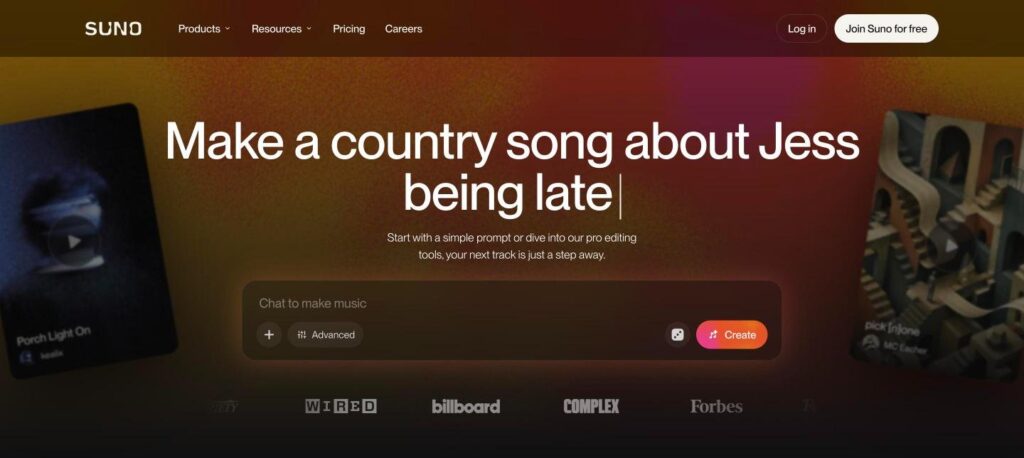
Suno is an AI music generator that creates complete songs with vocals, lyrics and instruments from a short text prompt. You can also edit tracks in Suno Studio. The free plan gives 50 credits a day (about 10 songs), and paid plans start at $8 a month billed yearly ($10 monthly).

What is Suno?
Suno is a popular AI music app. You describe a song, such as “a country song about being late”, and Suno writes lyrics and produces a full track with singing and instruments in seconds. You can also add your own lyrics or choose a style.
Suno Studio adds pro editing tools for stems, sections and arrangements. Free songs are for personal use only. Paid plans give more credits and full commercial rights to songs you make while subscribed.
Suno key features
Text to song
Create a full song with vocals from a short prompt.
Custom lyrics
Write your own lyrics and let Suno sing them.
Style control
Choose genre, mood, tempo and voice style.
Instrumentals
Make background music with no vocals.
Extend and remix
Extend songs, replace sections and create covers.
Suno Studio
Edit stems, arrange sections and fine tune tracks.
Upload audio
Start from your own audio clip or melody.
Mobile apps
Make and play songs on iOS and Android.
Community feed
Discover, like and share songs from other creators.
Suno pricing plans (2026)
Suno uses credits. Each generation costs about 10 credits and gives two songs, so each song costs about 5 credits.
Free
50 credits a day (about 10 songs). Personal, non-commercial use only.
Pro
2,500 credits a month (about 500 songs) and commercial rights. $10/mo billed monthly.
Premier
10,000 credits a month (about 2,000 songs), commercial rights and Suno Studio. $30/mo billed monthly.
Prices checked in October 2026 (USD). Extra credits can be bought on paid plans. Confirm on the official Suno pricing page.
How to use Suno
- 1
Go to suno.com and sign up for free.
- 2
Type a song idea in the prompt box, or switch to Advanced to add your own lyrics and style.
- 3
Click Create and listen to the two versions.
- 4
Extend, remix or edit the best version.
- 5
Download or share your song. Use a paid plan if you need commercial rights.
Who should use Suno?
Content creators
Make custom music for videos and podcasts.
Musicians
Test song ideas and arrangements quickly.
Marketers
Create jingles and background tracks.
Hobbyists
Make fun songs for friends and events.
Pros and cons
What we like
- Full songs with realistic vocals
- Very easy to use
- Generous free daily credits
- Commercial rights on paid plans
Watch out for
- Free songs cannot be used commercially
- Quality can vary between generations
- Ongoing copyright questions in the music industry
- Advanced editing needs Premier
Best Suno alternatives
Suno is the easiest way to make a full song with AI. The free plan is great for fun and testing, and Pro is good value if you need music for content or business. Always check the licence before using songs commercially.
Suno FAQs
Is Suno free?
Yes. Suno gives 50 free credits a day, about 10 songs, for personal use.
How much does Suno cost?
Pro costs $10/month or $8/month billed yearly. Premier costs $30/month or $24/month billed yearly.
Can I use Suno songs commercially?
Yes, if you make them while on a paid Pro or Premier plan. Free plan songs are for non-commercial use.
Can Suno sing my own lyrics?
Yes. Use Advanced mode to paste your lyrics and choose a style.
What is Suno Studio?
Suno Studio is an editing workspace for stems, sections and arrangements, included with Premier.
Who owns Suno?
Suno is made by Suno, Inc., a company founded in 2022 and based in Cambridge, Massachusetts.