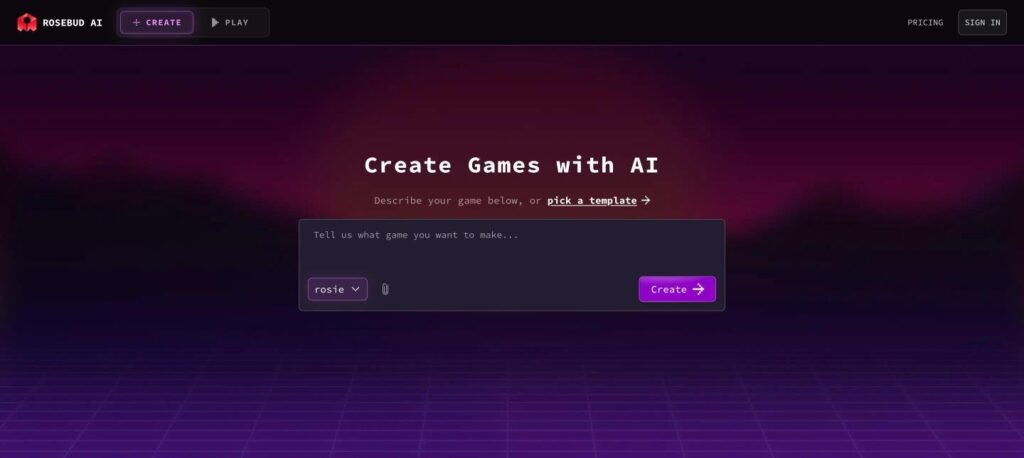
Rosebud AI is an AI game maker that turns your text prompts into playable 2D and 3D browser games. You describe your idea or pick a template, and its AI assistant Rosie writes the code. There is a free plan with weekly credits, and paid plans start at $15 a month.

What is Rosebud AI?
Rosebud AI is a browser-based platform for building games with AI. You type what game you want, such as a platformer or a puzzle game, and the AI creates the code, art and logic. You can then play it instantly and keep editing by chat.
It also has a community where you can play, share and remix games made by others. Paid plans add more AI credits, stronger models and options to download your code or export games for Windows and Steam.
Rosebud AI key features
Prompt to game
Describe a game in plain words and get a playable version.
Rosie AI assistant
Chat with the AI to add levels, rules and characters.
Templates
Start from ready-made game templates and remix them.
2D and 3D games
Build simple 2D games and 3D experiences with Three.js.
AI art assets
Generate sprites, backgrounds and characters with AI.
Instant play and share
Publish and share your game with a link.
Remix community
Play and fork games made by other creators.
Code access
View and edit the JavaScript code behind your game.
Export options
Download code and export to Windows or Steam on Pro plans.
Rosebud AI pricing plans (2026)
Rosebud AI has a free plan with weekly credits and several paid plans with more credits and features.
Free
Weekly AI credits to create and share browser games.
Indie Dev
More credits and stronger AI models for regular creators.
Pro
Large credit pool, code download and export to Windows and Steam.
Prices checked in October 2026 (USD). A 10x Dev plan ($30/mo) and a Scale plan ($100/mo) are also available. Confirm on the official Rosebud AI pricing page.
How to use Rosebud AI
- 1
Go to rosebud.ai and sign up for a free account.
- 2
Type the game you want to make, or pick a template.
- 3
Click Create and let Rosie build the first playable version.
- 4
Ask Rosie to change levels, controls, art or rules until you are happy.
- 5
Publish and share the link, or export your game on a Pro plan.
Who should use Rosebud AI?
Beginners
Make your first game with no coding.
Indie developers
Prototype game ideas in minutes.
Teachers and students
Learn game design and coding by chatting.
Content creators
Build simple games for fans and social posts.
Pros and cons
What we like
- Free plan to start
- No coding needed
- Instant play and easy sharing
- Can view and edit the real code
Watch out for
- Best for small, simple games
- Credits run out fast on big projects
- Export and download need paid plans
- Complex games still need coding skills
Best Rosebud AI alternatives
Rosebud AI is one of the easiest ways to turn a game idea into something playable. It is great for beginners, students and fast prototypes. For large commercial games, use it to prototype, then move to a full engine.
Rosebud AI FAQs
Is Rosebud AI free?
Yes. Rosebud AI has a free plan with weekly credits. Paid plans start at $15/month.
Do I need coding skills to use Rosebud AI?
No. You describe the game in plain words and the AI writes the code. You can still edit the code if you want.
Can I make 3D games with Rosebud AI?
Yes. Rosebud supports 2D games and 3D experiences built with Three.js.
Can I publish Rosebud games on Steam?
Pro plans let you download your code and export games for Windows and Steam.
Who is Rosie on Rosebud AI?
Rosie is the AI assistant inside Rosebud that builds and edits your game when you chat with it.
What are the best Rosebud AI alternatives?
Lovable for apps, ChatGPT for writing game code, and Buildbox for no-code game engines.