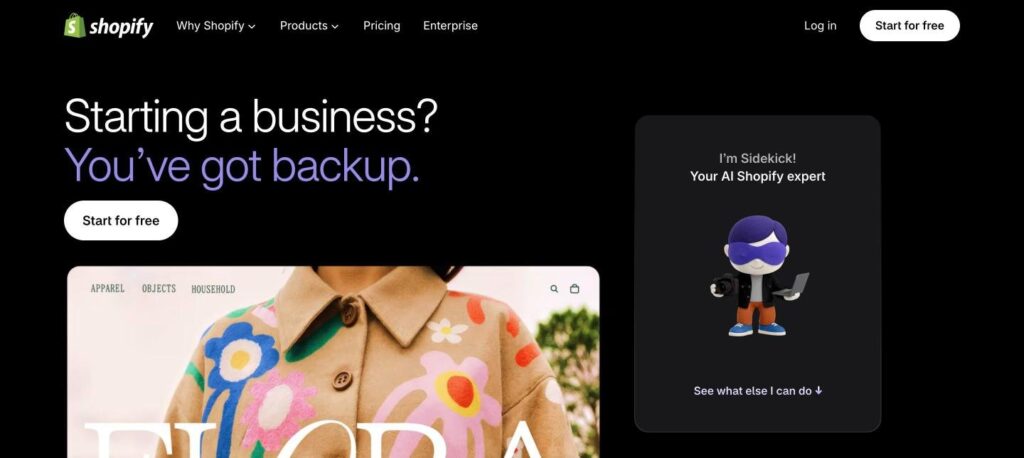
Shopify Sidekick is the free AI assistant built into Shopify, together with the Shopify Magic tools. It writes product descriptions, edits images, builds reports, sets up discounts and answers store questions. The AI costs nothing extra, but you need a Shopify plan, which starts at $39 a month ($29 billed yearly).

What is Shopify Sidekick?
Shopify Sidekick is an AI commerce assistant inside the Shopify admin. You chat with it like a teammate, and it can find answers, analyse sales, create discounts, edit your theme and complete tasks in your store.
Shopify Magic is the set of AI features across Shopify, such as product description writing, email subject lines, image background removal and FAQ replies. Both are included at no extra cost on every Shopify plan.
Shopify Sidekick key features
Sidekick chat
Ask questions about your store and get answers using your own data.
Store tasks
Create discounts, collections, reports and automations by chat.
Product descriptions
Generate SEO-friendly product copy in your brand tone.
Image editing
Remove or replace backgrounds and improve product photos with AI.
Theme edits
Change store design and sections with simple prompts.
Sales insights
Explain trends in orders, traffic and conversions.
Email content
Write marketing emails and subject lines in Shopify Email.
Inbox replies
Suggest quick replies to customer chat questions.
App generation
Create simple custom apps for your store on Grow plans and above.
Shopify Sidekick pricing plans (2026)
Sidekick and Shopify Magic are free AI tools. You pay only for your Shopify plan. New stores usually get a 3-day free trial, then $1 a month for the first 3 months on selected plans.
Basic
Online store and AI tools for solo sellers. $29/mo billed yearly.
Grow
More staff accounts, lower card rates and advanced Sidekick features. $79/mo billed yearly.
Advanced
Custom reports, more staff and lower fees for scaling brands. $299/mo billed yearly.
Prices checked in October 2026 (USD) and may differ by country. A Starter plan from $5/mo is also available for selling on social media. Confirm on the official Shopify pricing page.
How to use Shopify Sidekick
- 1
Go to shopify.com/magic and start a Shopify free trial, or log in to your store.
- 2
Open the Shopify admin and click the Sidekick icon at the top.
- 3
Ask a question or give a task, such as “create a 10% discount for new customers”.
- 4
Use Shopify Magic buttons on product, image and email screens to generate content.
- 5
Review every suggestion, then save or publish the changes.
Who should use Shopify Sidekick?
New sellers
Set up products, pages and discounts faster.
Small brands
Get sales insights without hiring an analyst.
Content teams
Write product copy and emails in less time.
Agencies
Speed up store edits and reports for clients.
Pros and cons
What we like
- No extra cost on any Shopify plan
- Works with your real store data
- Covers copy, images, reports and tasks
- Available on web and mobile apps
Watch out for
- Requires a paid Shopify plan
- Some features only on Grow and higher
- Only works inside the Shopify ecosystem
- AI answers still need human review
Best Shopify Sidekick alternatives
If you already sell on Shopify, Sidekick is an easy win. It is free, knows your store data and saves hours on copy, images and admin tasks. It is not a reason alone to choose Shopify, but it makes the platform much faster to run.
Shopify Sidekick FAQs
Is Shopify Sidekick free?
Yes. Sidekick and Shopify Magic are included at no extra cost, but you need an active Shopify plan.
What is the difference between Shopify Magic and Sidekick?
Shopify Magic is the set of AI features across Shopify. Sidekick is the chat assistant that can answer questions and complete tasks.
How much does Shopify cost?
Shopify Basic costs $39/month or $29/month billed yearly. Grow is $105/month and Advanced is $399/month.
Can Sidekick write product descriptions?
Yes. Shopify Magic can write product descriptions, and you can set the tone and keywords.
Is Sidekick available in all countries?
Sidekick is rolling out in more languages and regions. Check your Shopify admin to see if it is available for your store.
Who owns Shopify?
Shopify is a public company founded in 2006 and based in Ottawa, Canada.