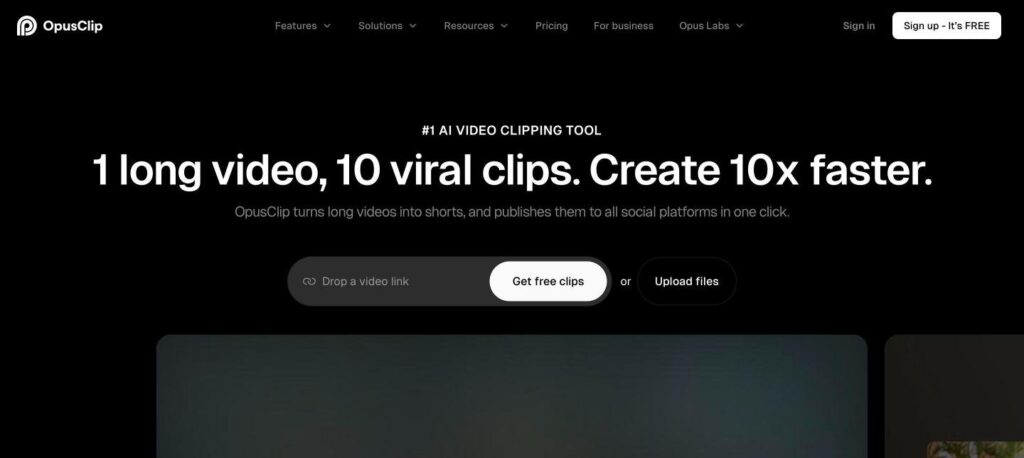
OpusClip is an AI video clipping tool that turns one long video into many short clips for TikTok, Instagram Reels and YouTube Shorts. It finds the best moments, adds captions, reframes to vertical and gives each clip a virality score. There is a free plan, and paid plans start at $15 a month.

What is OpusClip?
OpusClip is built for creators who record long videos, such as podcasts, webinars, interviews and streams. You paste a video link or upload a file, and its AI finds the most engaging moments and cuts them into short vertical clips.
Each clip comes with animated captions, smart reframing that keeps the speaker in frame, and a virality score that predicts how well it may perform. Paid plans add AI B-roll, voice-over and direct posting to social platforms.
OpusClip key features
AI clipping
Finds the best moments in long videos and turns them into shorts.
Virality score
Rates each clip on how likely it is to perform well.
Animated captions
Adds accurate, styled captions with emojis and highlights.
AI reframe
Keeps faces and action centred in vertical 9:16 format.
AI B-roll
Adds relevant stock or AI footage to your clips.
Clip prompting
Tell the AI what topics or moments to clip.
Brand templates
Save fonts, colours and logos for every clip.
Social scheduler
Publish to TikTok, YouTube Shorts and Instagram.
Many import sources
Import from YouTube, Zoom, Google Drive, Vimeo and more.
OpusClip pricing plans (2026)
OpusClip uses processing minutes as credits. Each minute of uploaded video uses one credit.
Free
60 credits a month, watermarked clips and basic AI clipping.
Starter
150 credits a month, no watermark, virality score and more import sources.
Pro
300 credits a month, AI B-roll, voice-over, social posting and team tools.
Prices checked in October 2026 (USD, monthly billing). Yearly billing is cheaper, and Business plans are custom. Confirm on the official OpusClip pricing page.
How to use OpusClip
- 1
Go to opus.pro and sign up for free.
- 2
Paste a YouTube link or upload your long video.
- 3
Choose clip length, aspect ratio and caption style.
- 4
Let the AI create clips, then review them by virality score.
- 5
Edit captions or trims and publish or download your shorts.
Who should use OpusClip?
Podcasters
Turn episodes into many short promo clips.
YouTubers
Repurpose long videos into Shorts and Reels.
Marketers
Create social clips from webinars and demos.
Agencies
Produce short videos for many clients fast.
Pros and cons
What we like
- Saves hours of manual editing
- Accurate captions and smart reframing
- Virality score helps pick the best clips
- Free plan to try
Watch out for
- Free plan adds a watermark
- Credits run out fast with long videos
- AI picks are not always perfect
- Best features need the Pro plan
Best OpusClip alternatives
OpusClip is one of the fastest ways to turn long videos into short social clips. It is ideal for podcasters and creators who post often. Start with the free plan, then upgrade to remove the watermark and unlock more credits.
OpusClip FAQs
Is OpusClip free?
Yes. OpusClip has a free plan with 60 credits a month. Clips on the free plan include a watermark.
How much does OpusClip cost?
Starter costs $15/month and Pro costs $29/month on monthly billing. Yearly plans cost less.
What is the OpusClip virality score?
It is an AI rating that predicts how well a clip may perform on social media.
Can OpusClip post directly to TikTok?
Yes. Paid plans can schedule and publish clips to TikTok, YouTube Shorts and Instagram.
Does OpusClip add captions?
Yes. It adds animated captions automatically, and you can edit the style and text.
What videos work best with OpusClip?
Talking videos like podcasts, interviews, webinars and vlogs work best.