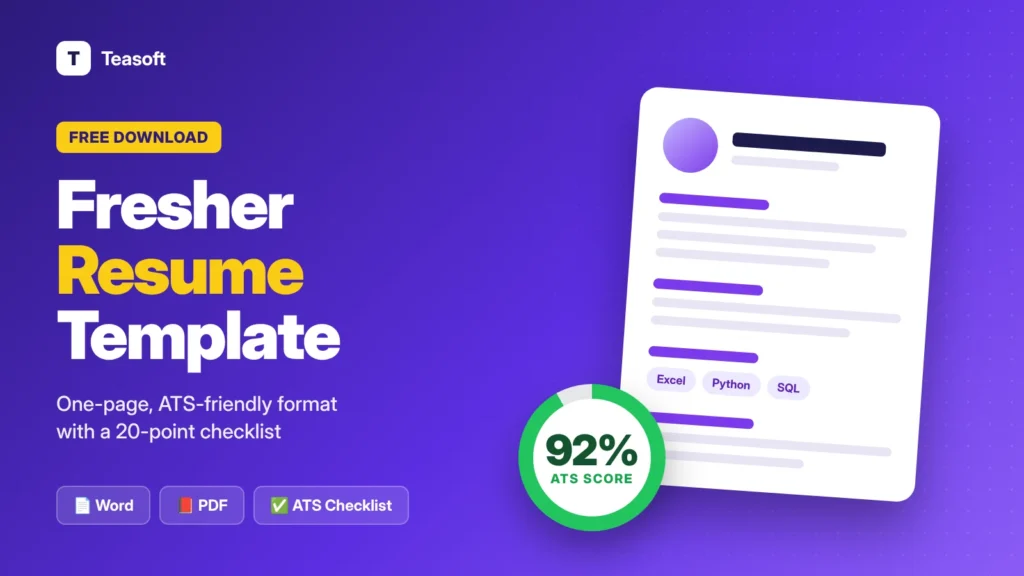
This free fresher resume template is a one-page, single-column Word file that works in Microsoft Word and Google Docs and is easy for applicant tracking systems (ATS) to read. Download the editable Word template, plus a free 3-page PDF with a filled sample resume, a blank template and a printable 20-point ATS checklist. Fill in your details in this order: contact, career objective, education, skills, projects, internships, certifications and achievements. Then save it as a PDF and apply.
Writing your first resume is hard when you don’t have much work experience. Most freshers either copy a fancy template that job portals can’t read, or leave out the projects and skills that recruiters actually look for.
This free resume template for freshers fixes both problems. It uses a clean layout that ATS software can read, shows you exactly what to write in each section, and comes with a sample resume and a checklist so you can check your resume before you hit apply.
Download the free fresher resume template
Editable Word template plus a 3-page PDF with a sample resume, the blank template and a printable ATS checklist.

What’s Inside the Free Resume Template
- Editable Word template (.docx). One page, single column, with clear placeholders like [Degree] and [Project Title] that show you exactly what to write.
- Sample fresher resume. A filled example for a data analyst fresher, so you can see how strong bullet points and a career objective look.
- Printable ATS checklist. 20 checks to tick before you apply, also available as an interactive checklist below.
- Works everywhere. Open it in Microsoft Word, Google Docs, WPS Office or LibreOffice, on a computer or phone.
Fresher Resume Format: Section by Section
Recruiters spend only a short time on each resume, so the order matters. Put your most relevant information first, and keep everything on one page.

| Section | What to include | Example |
|---|---|---|
| Contact details | Name, phone, professional email, city, LinkedIn or portfolio | Pune, Maharashtra · +91 98765 43210 |
| Career objective | 2–3 lines: your degree, top skills and the role you want | “Recent B.Com graduate skilled in Excel and SQL…” |
| Education | Degree, college, years and CGPA or percentage, newest first | B.Com, 2022–2025, CGPA 8.4/10 |
| Skills | Technical skills, tools and a few soft skills | Excel, SQL, Power BI, Python |
| Projects | 2–3 projects with tools used and a result | “Built a sales dashboard from 50,000 rows…” |
| Internships | Role, company, dates and 2 achievements | “Cut manual reporting time by 4 hours a week” |
| Certifications | Relevant online courses with issuer and year | Google Data Analytics – Coursera – 2025 |
| Achievements | Competitions, leadership roles, languages | 2nd place, case competition (35 teams) |
ATS Resume Checklist for Freshers (20 Checks)
Tick each item your resume already does. Your score updates as you go and is saved in this browser, so you can come back later.
Format & Layout (5 checks)
Contact Details (3 checks)
Content & Keywords (7 checks)
Final Checks (5 checks)
What Your Score Means
| Score | What it means | What to do next |
|---|---|---|
| 18–20 | Ready to send | Tailor the keywords for each job and apply. |
| 13–17 | Good, with a few gaps | Fix the unticked Format and Content checks first. |
| 0–12 | Likely to be filtered out | Rebuild your resume using the free template above. |
How to Use the Resume Template
- Download the Word file and open it in Microsoft Word. For Google Docs, upload it to Google Drive and choose Open with Google Docs.
- Replace every [placeholder] with your own details. Delete any section you don’t need, such as Internships if you haven’t done one yet.
- Match the job description. Copy the exact skill and tool names from the job post into your Skills and Projects, wherever they’re true for you.
- Save as PDF with File → Save As (Word) or File → Download → PDF (Google Docs). You can also use our free Word to PDF converter.
- Check the file size. If a job portal has an upload limit, shrink the file with Compress PDF. Name it FirstName-LastName-Resume.pdf.
Career Objective Examples for Freshers
Your career objective is the first thing a recruiter reads. Keep it to 2–3 lines and make it specific. Here are examples you can adapt:
- Software developer: “B.Tech Computer Science graduate with hands-on experience in Java, React and SQL through 3 full-stack projects. Looking for a software developer role where I can build reliable, user-friendly web apps.”
- Data analyst: “Recent B.Com graduate skilled in Excel, SQL and Power BI, with a 3-month analytics internship. Looking for a data analyst role where I can turn data into clear reports for business teams.”
- Digital marketing: “BBA graduate with Google Digital Marketing certification and experience running Instagram campaigns for a college fest that reached 20,000 people. Looking for a digital marketing executive role.”
- Customer support or BPO: “Graduate with strong English and Hindi communication skills and experience volunteering at a college help desk. Looking for a customer support role where I can solve problems quickly and patiently.”
Fresher Resume Mistakes to Avoid
- Fancy two-column designs. They look nice but many applicant tracking systems read them in the wrong order or skip text completely.
- A generic objective. “Seeking a challenging position in a reputed organisation” tells the recruiter nothing. Name the role and your skills.
- Listing duties, not results. “Worked on a project” is weak. “Built a dashboard used by 30 classmates” is strong.
- Skill ratings and bars. “Python 4/5” means nothing to a recruiter. Show the skill in a project instead.
- Too much personal information. Leave out your full address, father’s name, date of birth and marital status unless a form specifically asks for them.
Want help writing bullet points? Use the prompts in our ChatGPT cheat sheet to draft them, then edit them so they sound like you and stay 100% true.
Frequently Asked Questions
What is the best resume format for freshers?
The best resume format for freshers is a one-page, single-column reverse-chronological layout with these sections in order: contact details, career objective, education, skills, projects, internships, certifications and achievements.
Is this resume template free?
Yes. The Word template, the sample resume PDF and the ATS checklist are completely free to download and use. No sign-up is needed.
Can I edit this resume template in Google Docs?
Yes. Upload the Word file to Google Drive and choose Open with Google Docs. The layout uses standard fonts and no tables, so it stays clean in Google Docs.
What is an ATS-friendly resume?
An ATS-friendly resume is one that applicant tracking software can read correctly. It uses a single column, standard headings and fonts, no text boxes or graphics for key information, and keywords that match the job description.
Should a fresher resume be one page?
Yes. Most freshers should keep their resume to one page. Focus on education, skills, projects and any internships, and remove anything that doesn’t support the job you’re applying for.
What should I write in a resume if I have no experience?
Focus on projects, internships, certifications, college activities and skills. Describe each project with an action verb, the tools you used and a result, such as Built a sales dashboard in Power BI from 50,000 rows of data.
Should I save my resume as PDF or Word?
Save it as a PDF unless the job post asks for Word. PDF keeps your layout the same on every device. Name the file FirstName-LastName-Resume.pdf.
Final Takeaway: A Simple Resume That Gets Read
As a fresher, you don’t need a fancy design. You need a clean, one-page resume that ATS software can read and that shows your skills through projects and results.
Download the free template, use the sample as a guide, tick off the 20-point checklist and save it as a PDF. Then share this page with friends who are job hunting too.
Get your resume ready to send
Convert your resume to PDF, shrink it under upload limits or merge it with certificates, free and in your browser.