
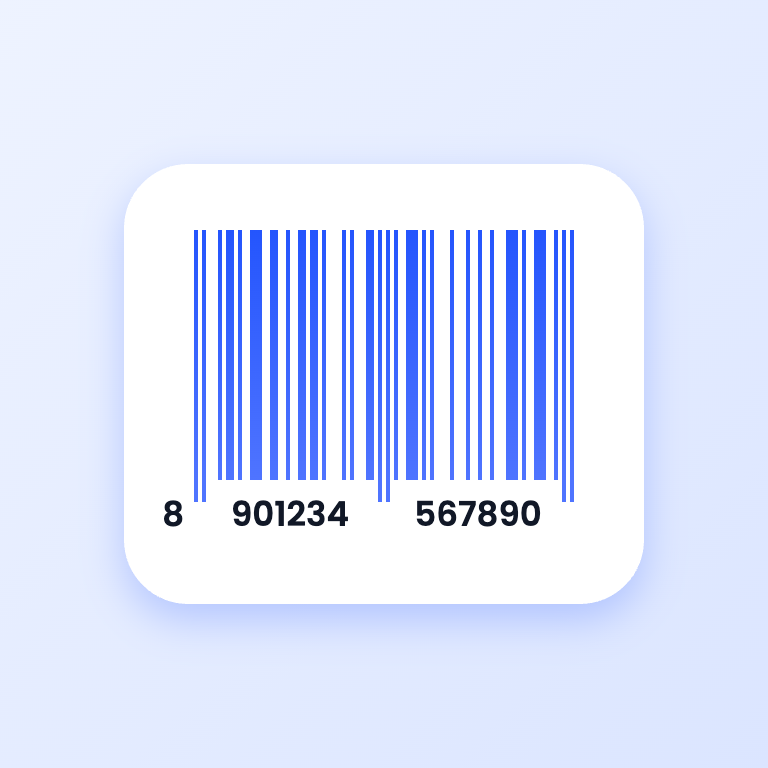
Barcode Generator
Make free barcodes for products, labels and shipping.
Choose a barcode type (Code 128, EAN-13, UPC-A, EAN-8, Code 39 or ITF-14), type your number or text, and your barcode appears instantly. Check digits are added for you. Set the bar size and height, show or hide the text, pick colours, then download it as PNG, SVG or JPG. Everything is made in your browser, so nothing you type is uploaded. Free, with no sign-up and no watermark.
No Hidden Fees Ever
EAN, UPC & Code 128
Nothing Is Uploaded
Print-Ready Files
Letters, numbers and symbols. Best for labels, inventory and shipping.
Your barcode appears here
Pick a type and type your value above.
Width of the thinnest bar in the PNG or JPG. SVG is a vector and scales to any size.
Taller bars are easier to scan by hand. Retail barcodes are usually around 70.
Scanners need blank space on both sides. Keep the quiet zone on unless you add it in your design.
Black bars on white scan best. Avoid red bars: most scanners use red light and can't see them.
PNG for documents and labels, SVG for print and packaging design, JPG for smaller files.
Private by design: your barcode is made in your browser and nothing you type is stored. Protected by Cloudflare Turnstile.
Why Use a Free Barcode Generator?
To make a barcode online, choose the barcode type, enter your number or text, and the barcode appears straight away. For EAN-13, UPC-A, EAN-8 and ITF-14 the check digit is calculated for you. Adjust the bar size, height, text and colours, then download it as PNG, SVG or JPG. Teasoft's Barcode Generator works in your browser, so your data is never uploaded.
A barcode turns a number or short text into bars that a scanner can read in a fraction of a second, with no typing mistakes. Shops use EAN and UPC barcodes on products, warehouses use Code 128 and ITF-14 on labels and cartons, and offices use Code 39 and Code 128 for ID cards and asset tags. Many barcode tools add watermarks or limit downloads. This one makes clean, standard barcodes you can use on labels, packaging and documents.
Common reasons to make a barcode:
- Print product barcodes for packaging, using your GS1 number.
- Label stock, shelves and bins for inventory and stock counts.
- Make shipping and carton labels with ITF-14 or Code 128.
- Create ID cards, library cards, tickets or membership cards.
- Tag office assets like laptops, tools and furniture.
- Add a barcode to invoices, forms or product sheets.
What each setting does:
| Setting | What it does | When to use it |
|---|---|---|
| Barcode type | Chooses the barcode standard: Code 128, EAN-13, UPC-A, EAN-8, Code 39 or ITF-14. | Always. Use the type your shop, marketplace or scanner expects. |
| Size | Sets the width of the thinnest bar in PNG and JPG files: 2, 3, 4 or 8 px. | 4 px for most labels. 8 px or SVG for print and packaging. |
| Bar height | Sets how tall the bars are, from 20 to 150 times the bar width. | Around 60–70 for products. Taller for scanning by hand. |
| Text | Shows or hides the number or text under the bars. | Keep it on so people can type the code if a scan fails. |
| Quiet zone | Adds the blank margin scanners need on both sides. | Keep it on, unless your design already leaves space. |
| Colours | Sets the bar and background colours, or a transparent background. | Dark bars on a light background. Avoid red bars. |
| Save as | PNG, SVG (vector) or JPG. | PNG for labels and documents, SVG for print, JPG for smaller files. |
Good to know
- Retail barcodes need real numbers. To sell in shops or on most marketplaces, EAN and UPC numbers must come from GS1 (GS1 India in India). This tool draws the barcode; it does not issue numbers.
- Check digits are automatic. Enter the number without the last digit and the tool adds it. If you enter the full number, it checks that the last digit is right.
- Test before you print. Scan a printed sample with a barcode scanner or a phone app before printing in bulk.
- Keep the quiet zone clear. Text, borders or artwork too close to the bars can stop a barcode from scanning.
What You Can Do With This Tool
- Six barcode types. Code 128, EAN-13, UPC-A, EAN-8, Code 39 and ITF-14.
- Automatic check digits. For EAN-13, UPC-A, EAN-8 and ITF-14, with a warning if a full number has the wrong check digit.
- Live preview. The barcode updates as you type, with a status line showing the encoded value.
- Four sizes. 2, 3, 4 or 8 px bars for PNG and JPG, or a scalable SVG.
- Adjustable bar height. From short labels to tall, easy-to-scan barcodes.
- Text on or off. Show the number under the bars in the standard retail layout.
- Quiet zone. The blank margin scanners need, added automatically.
- Custom colours. Pick bar and background colours, or a transparent background.
- PNG, SVG or JPG. Download, or copy the image to your clipboard.
- Private by design. Your barcode is made in your browser and nothing is uploaded.
- Works on any device. Windows, Mac, Linux, Android and iPhone, in any modern browser.
Which Barcode Type Should I Use?
Use EAN-13 or UPC-A for products sold in shops, ITF-14 for outer cartons, and Code 128 for almost everything else, such as labels, inventory and shipping. Code 39 suits older scanners and ID cards.
How to Make a Barcode (4 Steps)
Choose the type
Pick the barcode type: Code 128, EAN-13, UPC-A, EAN-8, Code 39 or ITF-14. Use the type your shop, marketplace or scanner asks for.
Enter your value
Type or paste your number or text. For EAN, UPC and ITF-14, leave out the last digit and the check digit is added for you.
Adjust the settings
Choose the bar size and height, show or hide the text, keep the quiet zone on, and pick the colours. The preview updates as you go.
Download and test
Choose PNG, SVG or JPG and click Download barcode, or copy the image. Scan a printed sample before you print in bulk.
Tip: for products sold in shops, use the EAN or UPC number assigned to you by GS1. A made-up number can scan fine but may be rejected by retailers and marketplaces.
Which Settings Should I Use?
Which barcode type should I choose?
| Type | What it holds | Used for |
|---|---|---|
| Code 128 | Letters, numbers and symbols, any length | Shipping labels, inventory, warehouses, general use |
| EAN-13 | 12 digits + check digit | Retail products worldwide, including India |
| UPC-A | 11 digits + check digit | Retail products in the US and Canada |
| EAN-8 | 7 digits + check digit | Small retail packages with little space |
| Code 39 | A–Z, 0–9, space and – . $ / + % | ID cards, asset tags, older industrial systems |
| ITF-14 | 13 digits + check digit | Outer cartons and cases (GTIN-14) |
Which size should I download?
| Size | Use it for |
|---|---|
| Small (2 px) | Screens, emails and small web images. |
| Standard (3 px) | Documents and office labels. |
| Large (4 px, default) | Most label printers and product sheets. |
| Print (8 px) | High-resolution printing and large labels. |
| SVG | Packaging design and professional print. Scales to any size without blurring. |
How big should a printed barcode be?
| Barcode | Typical printed size |
|---|---|
| EAN-13 / UPC-A | About 37 × 26 mm at standard size. Can usually be printed from 80% to 200% of that. |
| EAN-8 | About 27 × 21 mm at standard size. |
| ITF-14 | Larger, often 10–15 cm wide on cartons. |
| Code 128 / Code 39 | Depends on length. Keep the thinnest bar at least about 0.25 mm wide. |
Always check your retailer’s or printer’s requirements, and don’t squash a barcode to fit: change the overall size instead.
Which format should I save as?
| Format | Choose it when |
|---|---|
| PNG | You need a sharp image for labels, documents or screens. Supports a transparent background. |
| SVG | You are sending it to a printer or using design software. It is a vector, so it never gets blurry. |
| JPG | You need a small file. No transparency. |
Tips for a barcode that scans every time
- Print dark bars (black is best) on a white or light background. Red, orange and yellow bars often can't be read by scanners.
- Keep the quiet zone on both sides clear of text, borders and artwork.
- Don't stretch or squash the barcode. Resize it evenly in both directions.
- Use SVG or a high-resolution PNG for printing so the bar edges stay sharp.
- Print on a flat, matte surface where possible, and test a printed sample with a real scanner.
Selling in shops? Get your numbers from GS1.
Retailers and most online marketplaces only accept EAN and UPC numbers that are registered to your company with GS1 (in India, GS1 India). Once you have your numbers, use this tool to draw the barcodes for your packaging. For internal use, such as stock labels or asset tags, you can use any number or text with Code 128 or Code 39.
Frequently Asked Questions
How do I make a barcode for free?
Open Teasoft's Barcode Generator, choose a type such as Code 128 or EAN-13, enter your number or text, and the barcode appears instantly. Adjust the size and height if you like, then click Download barcode. It is free, with no sign-up.
Which barcode type should I use?
Use EAN-13 (or UPC-A in the US and Canada) for products sold in shops, ITF-14 for outer cartons, and Code 128 for labels, inventory and shipping. Code 39 suits ID cards and older scanners.
Can I make an EAN-13 barcode for my product?
Yes. Choose EAN-13 and enter the 12-digit number from your GS1 registration; the check digit is added for you. To sell in shops or on most marketplaces, the number itself must come from GS1.
Where do I get a barcode number for my product?
Retail barcode numbers (EAN and UPC) are issued by GS1. In India, apply through GS1 India. For internal labels such as stock or asset tags, you can use your own numbers with Code 128 or Code 39.
What is a check digit?
It is the last digit of an EAN, UPC or ITF-14 number, calculated from the other digits so scanners can catch reading errors. Enter the number without it and the tool calculates it; enter the full number and the tool checks it.
What is the difference between EAN-13 and UPC-A?
Both are retail product barcodes. UPC-A has 12 digits and is used mainly in the US and Canada; EAN-13 has 13 digits and is used in most other countries. A UPC-A number can be read as an EAN-13 with a leading zero.
What can Code 128 encode?
Code 128 in this tool encodes letters, numbers, spaces and standard keyboard symbols. It switches to a compact mode for long runs of digits, so number-only codes stay short.
What can Code 39 encode?
Code 39 encodes uppercase A–Z, digits 0–9, space and the symbols - . $ / + %. Lowercase letters are changed to uppercase. It is wider than Code 128 for the same text.
What is ITF-14 used for?
ITF-14 marks outer cartons and cases in the supply chain. It holds a 14-digit GTIN and prints well on corrugated cardboard.
What size should my barcode be?
For EAN-13 and UPC-A, the standard size is about 37 × 26 mm, and it can usually be printed from 80% to 200% of that. For other types, keep the thinnest bar at least about 0.25 mm wide and leave the quiet zone clear.
Should I download PNG, SVG or JPG?
PNG for labels, documents and screens; SVG for packaging design and professional printing because it scales without blurring; JPG when you need a small file without transparency.
Can I change the barcode colour?
Yes. Pick any bar and background colour, or a transparent background. Keep bars dark on a light background, and avoid red, orange or yellow bars, which many scanners can't see.
Why won't my barcode scan?
Common causes are low contrast, coloured bars, a missing quiet zone, printing too small, a stretched or squashed image, or a wrong check digit. Reset to the defaults, print a test and try again.
Can I hide the numbers under the barcode?
Yes. Untick Show the number or text under the bars. For retail barcodes it is best to keep the numbers so they can be typed in if a scan fails.
Is my data uploaded to a server?
No. The barcode is made in your browser. Nothing you type is sent to or stored on a server.
Can I use the barcodes commercially?
Yes. You can use the barcodes on products, labels, packaging and documents, with no watermark and no attribution needed. For retail products, use numbers registered to you with GS1.
Is the Barcode Generator free?
Yes. It is free, with no sign-up, no watermark and no download limits.
About Teasoft's Barcode Generator
Teasoft's Barcode Generator is a free browser-based tool for making Code 128, EAN-13, UPC-A, EAN-8, Code 39 and ITF-14 barcodes. Check digits are added automatically, and you can set the bar size, height, text, quiet zone and colours, then download the barcode as PNG, SVG or JPG.
It is made for small businesses, online sellers, shops, warehouses, schools and offices that need barcodes for products, stock, shipping, ID cards or asset tags. For more, browse Teasoft's free online tools or try the QR Code Generator.
Everything runs locally in your browser. Your data is not sent to a server. Retail barcode numbers are managed by GS1, the global standards body for barcodes, so use your GS1 numbers for products sold in shops. Always test-scan a printed sample before you print in bulk.
Barcode Types Explained
Code 128 Barcode
A compact, high-density barcode for letters, numbers and symbols. Widely used on shipping labels, in warehouses and for inventory.
EAN-13 Barcode
The 13-digit retail barcode used on products in India and most countries. The number is issued by GS1 and ends with a check digit.
UPC-A Barcode
The 12-digit retail barcode used mainly in the US and Canada. Scanners worldwide also read it as an EAN-13 with a leading zero.
EAN-8 Barcode
A short 8-digit retail barcode for small packages where an EAN-13 won't fit, such as cosmetics and confectionery.
Code 39 Barcode
An older, easy-to-read barcode for uppercase letters, digits and a few symbols. Common on ID cards, asset tags and in industry.
ITF-14 Barcode
A 14-digit barcode for outer cartons and cases. It carries a GTIN-14 and prints well on corrugated cardboard.