Canva AI is the collection of AI tools built into Canva that turns a short prompt into editable designs, images, presentations, videos and copy. You can try it free with a monthly AI credit allowance, and Canva Pro (from $12 a month billed yearly) unlocks the full Magic Studio.
What is Canva AI?
Canva is an online design platform used for social media graphics, presentations, posters, videos and documents. Its AI layer, first branded Magic Studio, adds tools that write, generate, edit and resize designs for you, so non-designers can get polished results in minutes.
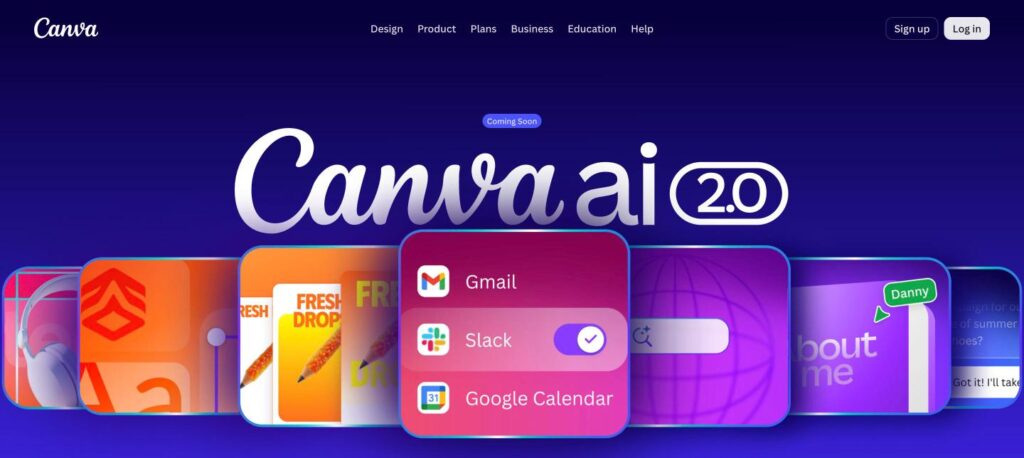
In 2026 Canva introduced the next generation of its assistant in research preview. You describe what you want in a conversation, and the assistant builds a fully editable design, remembers your style and can pull context from connected apps such as Slack, Gmail and Google Drive.
Canva AI key features
Conversational design
Describe a post, deck or flyer and get an editable layout with your branding.
Magic Design
Turn an idea or uploaded image into ready-made template options.
Magic Write
Draft captions, scripts, headlines and document text inside your design.
Magic Media
Generate images and short video clips from a text prompt.
Magic Edit and Eraser
Swap or remove objects in a photo with a brush and a prompt.
Magic Expand and Grab
Extend photo backgrounds or separate a subject to move it freely.
Background Remover
Cut out people and products in one click (Pro).
Magic Resize
Instantly adapt one design to every social and print size (Pro).
Brand Kit and memory
Keep colours, fonts and logos consistent across every AI output.
Canva AI pricing plans (2026)
The free plan includes basic AI tools with a monthly credit allowance. Paid plans add premium tools, more credits and team features.
Free
Basic AI tools and about 50 AI credits per month.
Pro
Full Magic Studio and about 500 AI credits per month. $12/mo billed yearly.
Teams
All Pro features with shared brand controls. About $20.83/user billed yearly.
Enterprise
SSO, advanced security and admin controls for large teams.
Prices checked in October 2026 (USD). Credit limits and regional prices change, so confirm on Canva’s pricing page before you buy.
How to use Canva AI
- 1
Sign up free at canva.com or in the Canva app.
- 2
Open the AI assistant from the home page and describe what you need, such as “Instagram post for a summer sale”.
- 3
Pick one of the generated designs and edit text, colours and images like any Canva template.
- 4
Use Magic Edit, Expand or Background Remover to polish photos.
- 5
Resize, download or schedule the design straight to your social channels.
Who should use Canva AI?
Social media managers
Create on-brand posts, stories and reels in minutes.
Small businesses
Make flyers, menus, logos and ads without hiring a designer.
Teachers and students
Build presentations, worksheets and posters quickly.
Marketing teams
Scale campaigns across sizes and formats with brand kits.
Pros and cons
What we like
- Very easy for beginners
- Huge template and stock library
- AI tools work inside a full design editor
- Generous free plan
Watch out for
- AI credits run out fast on the free plan
- Some top tools need Pro
- Generated images can look generic without editing
- Newest assistant features are still rolling out
Best Canva AI alternatives
This is the best pick for people who need finished, on-brand visuals fast. The free plan is enough to test it, and Pro pays for itself if you create social or marketing content every week.
Canva AI FAQs
Is Canva AI free?
Yes. Canva’s free plan includes basic AI tools with a monthly AI credit allowance (about 50 credits). Pro raises this to about 500 credits and unlocks premium tools.
How much does Canva Pro cost?
Canva Pro costs $18 per month or about $12 per month billed yearly in the US. Teams costs $25 per user per month.
Which company makes Canva and where is it based?
Canva is an Australian company founded in 2013 by Melanie Perkins, Cliff Obrecht and Cameron Adams. It is headquartered in Sydney.
Can Canva generate images and videos?
Yes. Magic Media creates images and short video clips from text prompts, and you can edit the results inside your design.
Can I use Canva AI designs commercially?
Generally yes, under Canva’s content licence, but check the terms for AI-generated content and avoid using trademarks you do not own.
What are the best alternatives?
Popular alternatives include Adobe Express, Microsoft Designer and Figma, depending on whether you need marketing graphics or product design.