

Free AI Website Builder
Create a landing page or one-page website for your business in a minute.
Tell us your business name, what you offer and your goal, pick one of 10 templates, and AI writes and designs a complete page with real photos, your services, benefits, FAQs and an enquiry form. Then edit everything: click any text, swap photos, change buttons, add, remove or reorder sections, and switch layouts, colours and fonts. Download it as an HTML file or a ready-to-publish ZIP. Fast, mobile-friendly and SEO-ready. Free, with no sign-up.
No Sign-Up Needed
Written for Your Business
WhatsApp, Call & Email
Publish Anywhere
Why Use a Free AI Website Builder?
To build a website with AI for free, enter your business name, type of business, city, services and goal in Teasoft's AI Website Builder, choose a template and colour, and click Generate. AI writes the headline, services, benefits, steps and FAQs, the builder adds free stock photos and designs a fast, mobile-friendly page with an enquiry form. Edit any text, photo or section, then download it as HTML or a ZIP and publish it on your own hosting, WordPress or a free host like Netlify.
Most small businesses don't need a 20-page website to get customers. They need one clear page that explains what they do, answers common questions and makes it easy to call, WhatsApp or send an enquiry. Website builders often lock you into monthly plans, while hiring a designer takes time and money. This tool gives you a professional single page in about a minute, which you own and can host anywhere.
Common reasons to use this AI website builder:
- Launch a website for a new shop, clinic, salon or service business.
- Create a landing page for Google or Meta ads to collect leads.
- Make a page for an offer, event, product launch or seasonal sale.
- Replace an outdated website with a faster, mobile-friendly page.
- Give your Instagram or WhatsApp customers a link with all your details.
- Test a business idea before spending money on a full website.
What each option does:
| Option | What it does | When to use it |
|---|---|---|
| Type of business | Chooses from 25 business types and suggests matching services, icons and wording. | Always. Pick the closest match, or Other. |
| Goal of the page | Sets the main button and form: enquiries, bookings, calls, WhatsApp chats, sales or sign-ups. | Choose the one action you most want visitors to take. |
| Page type | Landing page puts the enquiry form at the top; one-page website shows your business first. | Landing page for ads and leads. One-page website for a general business site. |
| Sections | Turns services, about, why choose us, how it works, photo gallery, pricing, reviews, FAQ and contact on or off. | Keep it short for ads; add more for a full business page. |
| Design | 10 templates (Modern, Agency, Care, Restaurant, Elegant, Startup, Local service, Minimal, Luxury, Energy), your brand colour and a font. Auto picks the best one for your type of business. | Match your logo or shop colours. You can change them after generating. |
| Language | Writes the page in English, Hindi or Hinglish. | Use the language your customers search and speak in. |
| Contact details | Adds call, WhatsApp, email, address, hours and social links, and sends form enquiries to WhatsApp or email. | Fill in at least one so leads can reach you. |
Good to know
- Your page stays editable. Click Open last page any time to keep editing your latest page, swap photos or change the template, and download it again.
- AI writes, you check. The AI is told not to invent prices, numbers or reviews, but always read the page and replace any [placeholder] text before publishing.
- Your page is yours. It downloads as a normal HTML file with no Teasoft branding, so you can host it anywhere.
- Privacy. Your brief is sent to Pollinations.ai, a free AI service, to write the text. The page is built in your browser and not stored on our server.
What You Can Do With This Tool
- AI-written copy. Headline, services, benefits, steps, FAQs and calls to action for your business.
- Landing page or website. A lead page with the form at the top, or a one-page business website.
- 25 business types. Clinics, salons, gyms, restaurants, coaching, real estate, agencies and more.
- Lead form included. Enquiries open WhatsApp or email with the details filled in.
- 10 templates, many layouts. Modern, Agency, Care, Restaurant, Elegant, Startup, Local service, Minimal, Luxury and Energy, each section with its own layout options.
- Free stock photos. Real CC0 photos matched to your business, or search, upload or link your own.
- English, Hindi or Hinglish. Write for the way your customers talk.
- Full section editor. Click any text to edit it, swap photos, change buttons and links, add, remove or reorder sections and items, and undo any change.
- Preview on every screen. Desktop, tablet and mobile views.
- SEO built in. Title, meta description, Open Graph, LocalBusiness and FAQ schema.
- HTML, ZIP or copy code. Publish on any host, WordPress or Netlify.
- Fast and light. One file, no heavy animation or page builders.
Landing Page or One-Page Website?
Choose the page type based on where your visitors come from and what you want them to do:
AI Website Examples: See What You Can Build
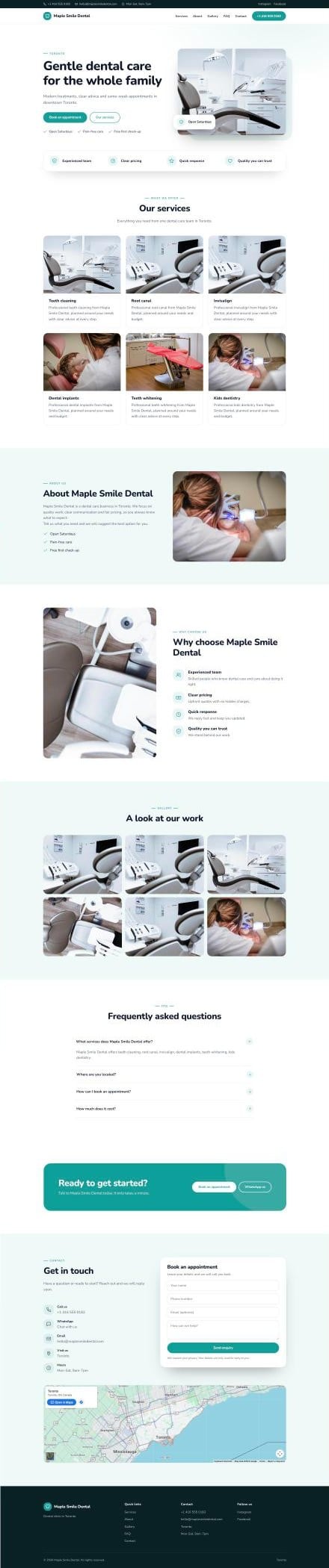
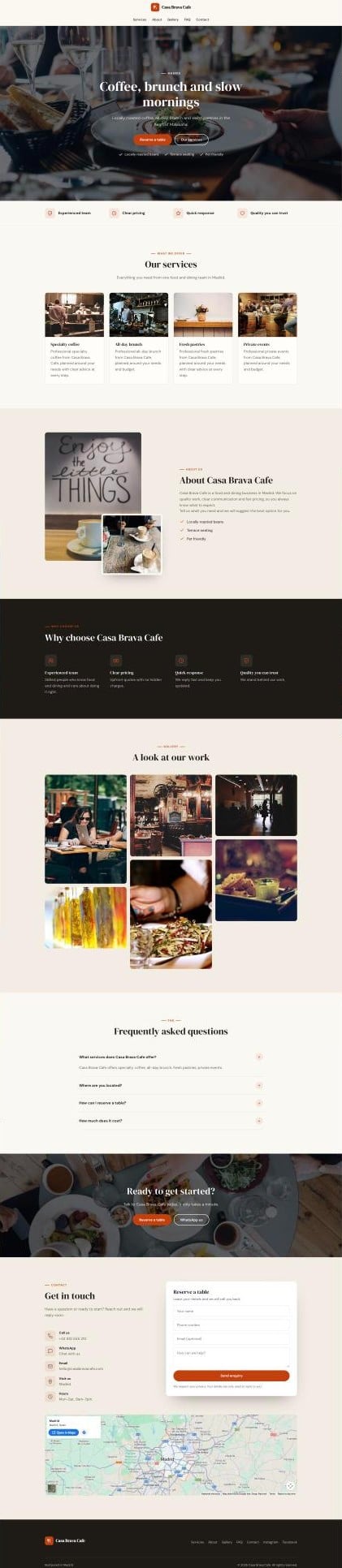
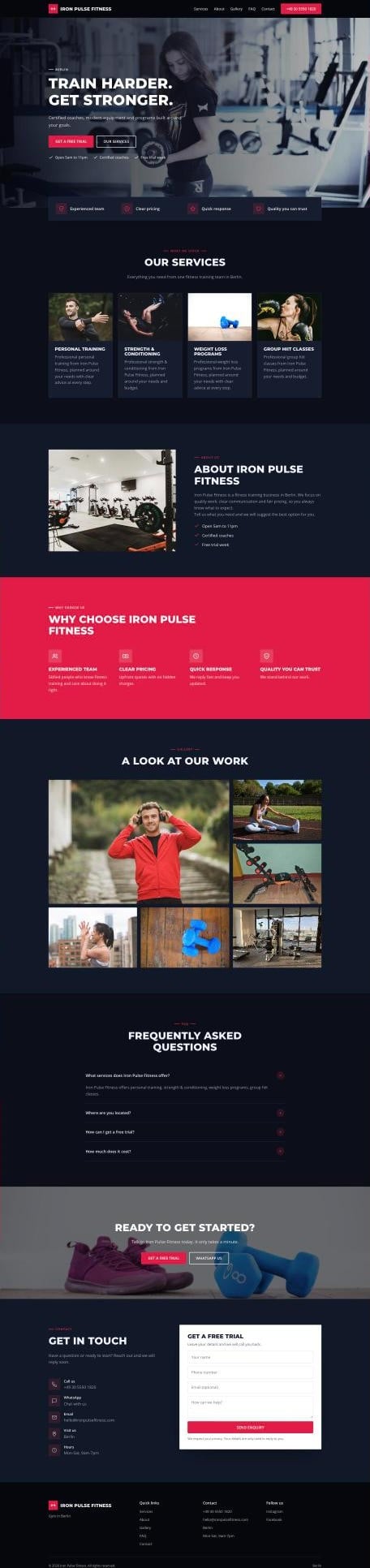
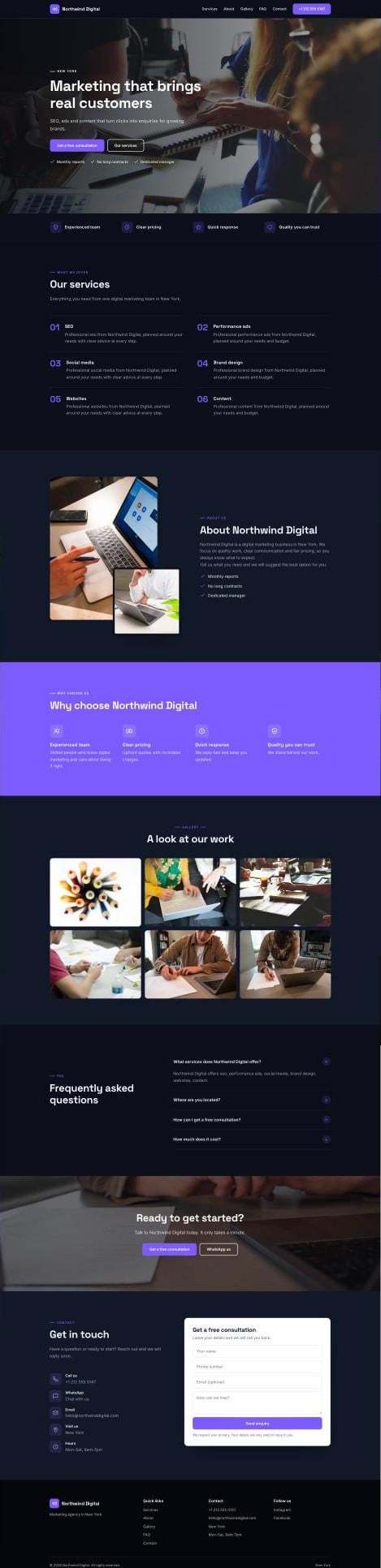
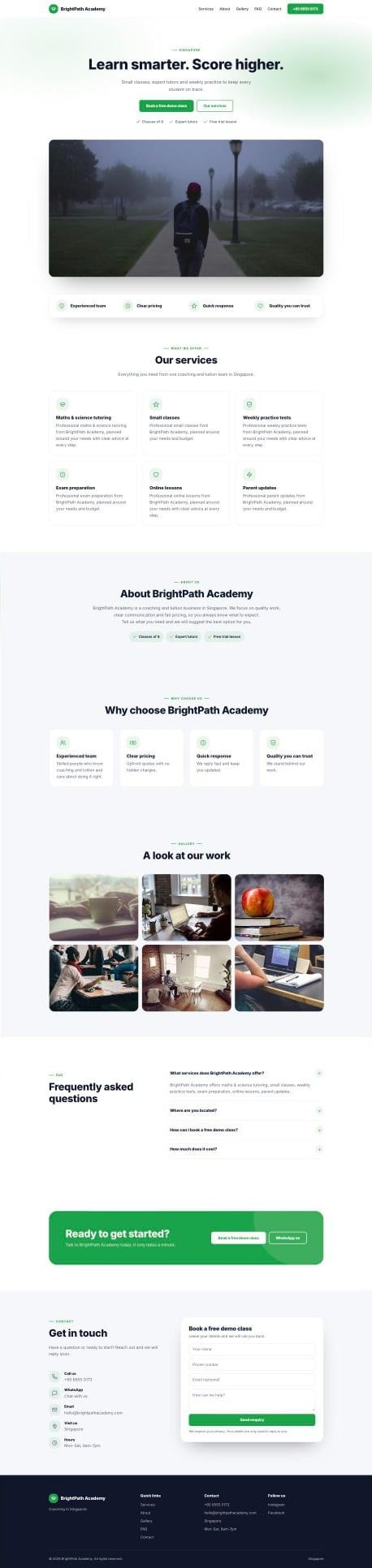
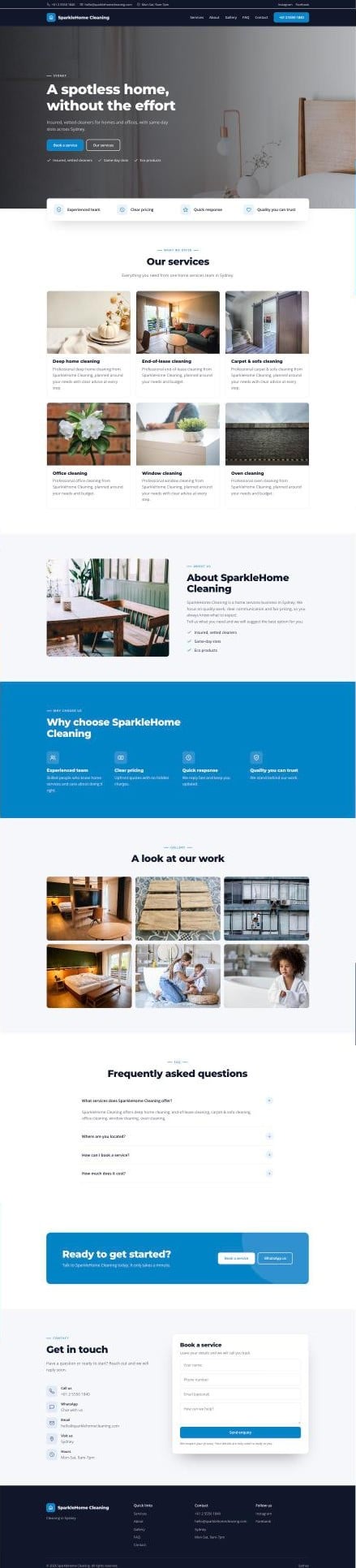
Here are 8 sample one-page websites made with this AI website builder for different businesses around the world: a dental clinic, cafe, gym, real estate agency, marketing agency, beauty salon, coaching centre and cleaning company. Each one uses a different template and brand colour, with free stock photos. Hover over a preview (or tap it on mobile) to scroll through the full page.


How to Create a Website With AI (4 Steps)
Describe your business
Enter your business name and type, city, services and what makes you different. Leave services empty and we suggest common ones.
Choose goal and style
Pick your goal (enquiries, bookings, calls, WhatsApp, sales or sign-ups), page type, sections, template, colour, font and language.
Generate with AI
Click Generate my website. A popup shows the progress, then your page appears, usually in 10 to 60 seconds.
Edit and download
Click any text, photo or button to change it, add or reorder sections, preview on mobile, then download HTML or ZIP, copy the code, or save it as a PDF.
Tip: the more specific your brief is, the better the page. Mention real details like “open on Sundays” or “free first consultation” in What makes you different.
Landing Page and One-Page Website Guide
Landing page vs one-page website
| Landing page | One-page website | |
|---|---|---|
| Main purpose | Get leads from one offer or ad | Introduce your whole business |
| Enquiry form | At the top, next to the headline | Near the bottom, in Contact |
| Best traffic | Google Ads, Meta ads, campaigns | Google search, Instagram bio, visiting cards |
| Sections | Few and focused | Services, about, FAQ and more |
Which goal should I choose?
| Goal | Main button | Good for |
|---|---|---|
| Get enquiries | Send enquiry | Services where you quote after talking |
| Book appointments | Book now | Clinics, salons, coaching, consultants |
| Get phone calls | Call now | Urgent or local services |
| WhatsApp chats | Chat on WhatsApp | Shops and services in India that sell over WhatsApp |
| Sell a product | Order now | One product or a small range |
| Collect sign-ups | Sign up | Events, waitlists, newsletters |
What to put on a landing page
| Section | Why it matters |
|---|---|
| Clear headline | Tells visitors in one line what you do and for whom |
| Call to action | One main button repeated through the page |
| Services | Shows exactly what customers can get |
| Why choose us | Gives reasons to pick you over others |
| FAQ | Answers doubts and helps your page show in Google and AI answers |
| Contact and form | Makes it easy to reach you on any device |
Which download should I use?
| Download | Use it when |
|---|---|
| HTML file | You want one file to upload to any hosting or open on your computer. |
| ZIP package | You want index.html plus robots.txt, sitemap.xml and a step-by-step publishing guide. |
| Copy HTML | You want to paste the page into WordPress (Custom HTML block), Elementor or another builder. |
| Save as PDF | You want to share the design for approval or print it. |
Tips for a landing page that gets leads
- Use one goal and one main button. Too many choices lower enquiries.
- Write a specific headline: what you do, for whom and where.
- Add your real phone, WhatsApp and address so people trust you.
- Keep the form short: name, phone and a message is enough.
- Replace every [placeholder] with real prices and real reviews before you publish.
Publish your page in minutes
Download the ZIP and follow the included guide. You can drag the folder into a free host such as Netlify Drop, upload it to your hosting in cPanel, or paste the HTML into a WordPress Custom HTML block. Connect your own domain, update the domain in sitemap.xml and robots.txt, and submit the sitemap in Google Search Console so your page can appear in search.
Frequently Asked Questions
What is an AI website builder?
An AI website builder creates a website for you from a short description of your business. Teasoft's AI Website Builder writes the text with AI and designs a fast, mobile-friendly landing page or one-page website you can download and publish.
Is this AI website builder free?
Yes. It is free to use, with no sign-up and no watermark. After generating, you can change the template, colours, photos and text as often as you like before downloading.
Do I need to sign up or log in?
No. Just fill in your business details and click Generate my website.
How long does it take to create a website?
Usually 10 to 60 seconds. If the free AI is busy, the builder waits and tries again, or finishes the page with its smart generator so you always get a result.
What is the difference between a landing page and a one-page website?
A landing page focuses on one goal, such as getting enquiries from an ad, and puts the form at the top. A one-page website introduces your whole business on a single page, with the contact form lower down.
Can I edit the website after it is generated?
Yes. After the page is generated you get a full editor: click any text to change it, click a photo to search free stock photos, upload your own or paste a link, and click a button to change its text and link. You can add, remove, reorder or hide sections, switch each section’s layout, change the template, colours and fonts, and undo any change. Then download the updated page.
Where do the photos come from? Can I use my own?
The builder adds free CC0 stock photos matched to your type of business, from StockSnap and the WordPress Photo Directory through Openverse. They are free for commercial use with no credit needed. You can click any photo to search for another, upload your own photos or logo, or paste an image link.
How do I publish my website?
Download the ZIP and upload it to your hosting, drag it into a free host such as Netlify Drop, or copy the HTML into a WordPress Custom HTML block. The ZIP includes a step-by-step guide.
Can I use my own domain name?
Yes. The page is a standard HTML file, so you can host it on any domain. Update the domain in sitemap.xml and robots.txt after publishing.
Where do enquiries from the form go?
By default, the form opens WhatsApp or email with the visitor's details filled in, using the number or email you entered. You can also connect a form service such as Formspree to receive enquiries by email.
Is the generated website SEO-friendly?
Yes. Each page has a title, meta description, Open Graph tags, LocalBusiness and FAQ schema, clean headings and fast, mobile-friendly code. Add your real domain as the canonical link when you publish.
Can the AI write my website in Hindi?
Yes. Choose English, Hindi or Hinglish under Language before generating.
Which businesses can use it?
Clinics, dentists, salons, gyms, restaurants, coaching centres, real estate, agencies, software companies, lawyers, accountants, shops, travel agents and more. Choose Other if your business is not listed.
Does the AI make up prices or reviews?
No. The AI is told not to invent prices, numbers, awards or reviews. Pricing and review sections use clear [placeholders] for you to replace with real details.
Will my page be fast and mobile-friendly?
Yes. Pages are a single lightweight HTML file with no heavy animations or frameworks, and the layout adapts to phones, tablets and desktops.
Is my information stored?
Your page is built in your browser and is not stored on our server. Your brief is sent to Pollinations.ai, a free AI service, to write the text.
Can I come back and edit my page later?
Yes. Your latest page is saved in your browser. Click Open last page to keep editing it and download it again, or click Reset to clear the form and start a new brief.
About Teasoft's AI Website Builder
Teasoft's AI Website Builder is a free tool that creates a landing page or one-page website for a small business. You describe your business, choose a goal, sections, template and language, and AI writes the copy while the builder designs a fast, mobile-friendly page with an enquiry form and SEO tags, ready to download as HTML or ZIP.
It is made for shop owners, clinics, freelancers, coaches, startups and agencies who need a professional page quickly without monthly website plans. For more, browse Teasoft's free online tools, design social posts with the Photo Editor, or add a QR code that links to your new page.
The text is written by Pollinations.ai, a free AI service. If it is busy, a built-in smart generator completes your page from your answers. Photos are free CC0 stock photos from StockSnap and the WordPress Photo Directory, found through Openverse, so they are free for commercial use. Pages are built in your browser and are not stored on our server. Always review the text and replace any placeholders before publishing.
Website Builder Features Explained
AI Copywriting
AI writes a clear headline, service descriptions, reasons to choose you, steps and FAQs from your brief, in English, Hindi or Hinglish.
Smart Generator Backup
If the free AI is busy, the builder waits and retries, then completes the page from your answers, so you always get a usable page.
Lead Form and WhatsApp
Every page can include an enquiry form, call button and floating WhatsApp button, so visitors can reach you in one tap.
Templates, Layouts and Brand Colours
Choose from 10 templates (Modern, Agency, Care, Restaurant, Elegant, Startup, Local service, Minimal, Luxury and Energy) or let Auto pick one for your business. Each section has its own layout options, and you can change the template, brand colour, colour scheme, font, corners and button style after generating without losing your text or photos.
SEO and AI Search Ready
Pages include a title, meta description, Open Graph tags, LocalBusiness and FAQ schema, and a sitemap in the ZIP download.
Full Editor, Photos and Download
Click any text on the page to edit it, click a photo to search free stock photos or upload your own, and click a button to change its text and link. Add, remove, hide or reorder sections and items, switch layouts, and undo or redo any change. Preview on desktop, tablet and mobile, then download HTML, a ZIP package or a PDF, or copy the code.