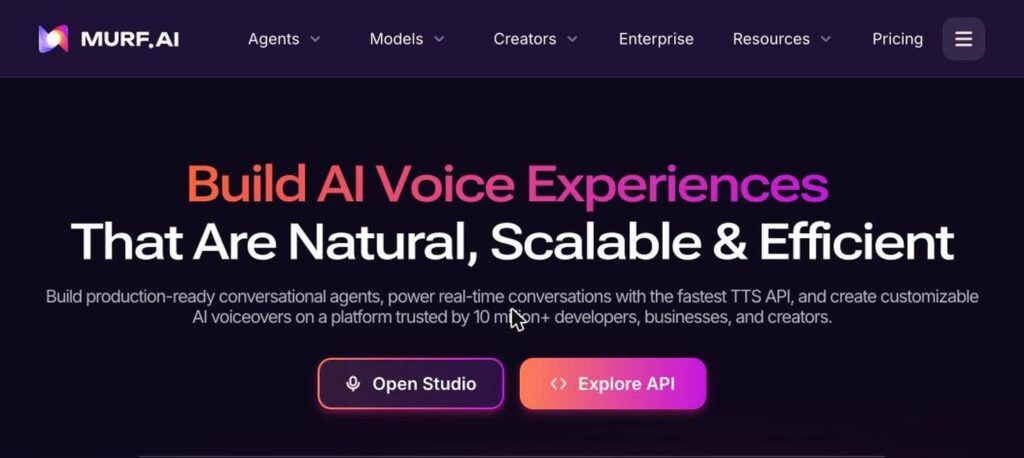
Murf AI is an AI voice generator for creating natural-sounding voiceovers. You type a script, pick a voice and style, and Murf Studio produces audio for videos, ads, podcasts and training. Murf also offers a fast text-to-speech API and conversational voice agents. There is a free plan, and Creator starts at $19 a month billed yearly.

What is Murf AI?
Murf AI is a popular voiceover tool trusted by more than 10 million developers, businesses and creators. Murf Studio lets you control pitch, speed, pauses and emphasis so voiceovers sound natural.
You can sync voiceovers with video, add music, translate and dub content into other languages, and use voice cloning on higher plans. Developers can use Murf’s TTS API and build real-time voice agents.
Murf AI key features
AI voiceovers
Turn scripts into natural speech.
Many voices and languages
Choose voices across accents and languages.
Voice styles
Adjust tone, pitch, speed and emphasis.
Video sync
Match voiceovers to your video timeline.
AI dubbing
Translate and dub content into other languages.
Voice cloning
Create a custom voice on higher plans.
TTS API
Fast text-to-speech for developers.
Voice agents
Build conversational AI voice agents.
Team collaboration
Share projects with your team.
Murf AI pricing plans (2026)
Murf has a free plan to try the studio and paid plans with more voice generation time and commercial rights. The API is billed separately.
Free
10 minutes of voice generation to try Murf, no downloads.
Creator
Commercial rights and more generation time for creators. $29 billed monthly.
Business
More generation time, priority support and business features. $99 billed monthly.
Prices checked in October 2026 (USD, billed yearly). Enterprise is custom, and the API is pay as you go. Confirm on the official Murf AI pricing page.
How to use Murf AI
- 1
Go to murf.ai and click Open Studio.
- 2
Create a project and paste your script.
- 3
Choose a voice, language and style.
- 4
Adjust pitch, speed and pauses, then preview.
- 5
Export your voiceover or sync it with your video.
Who should use Murf AI?
YouTubers
Add voiceovers to videos.
Marketers
Create ad and explainer voiceovers.
Educators
Narrate e-learning courses.
Developers
Add realistic voices with the API.
Pros and cons
What we like
- Natural, controllable voices
- Easy studio editor
- Commercial rights on paid plans
- Fast API for developers
Watch out for
- Free plan cannot download audio
- Generation time limits
- Voice cloning on higher plans only
- Monthly billing costs more
Best Murf AI alternatives
Murf AI is a great choice for creators and teams who need polished voiceovers quickly. Start free to test voices, then choose Creator for commercial work.
Murf AI FAQs
Is Murf AI free?
Yes. Murf has a free plan with 10 minutes of voice generation, but downloads need a paid plan.
How much does Murf AI cost?
Creator is $19/month and Business $66/month billed yearly. Monthly billing costs more.
Can I use Murf voices commercially?
Yes, paid plans include commercial rights.
Does Murf support voice cloning?
Yes, voice cloning is available on higher plans.
Does Murf have an API?
Yes. Murf offers a pay-as-you-go text-to-speech API.
When was Murf AI founded?
Murf AI was founded in 2020.