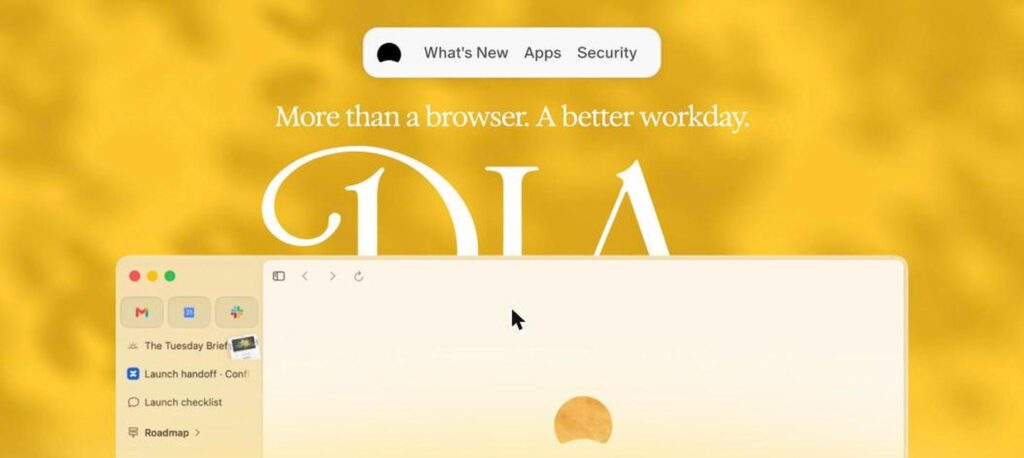
Dia Browser is an AI web browser from The Browser Company, the makers of Arc, now part of Atlassian. Its address bar doubles as an AI assistant that can read your open tabs, summarise pages, write drafts and run reusable Skills. Dia is free to download, and Dia Pro costs $20 a month for more AI usage.

What is Dia Browser?
Dia is designed to put AI right inside your browser. Instead of copying text into a chatbot, you can ask Dia about the page you are on or compare several open tabs, and it answers in a side chat.
It supports Skills, which are saved prompts for repeat tasks like writing, research or code review, and it can connect to work apps like Slack, Notion, Google Calendar and Gmail. Atlassian acquired The Browser Company in 2025.
Dia Browser key features
AI address bar
Type a URL or ask a question in the same bar.
Chat with tabs
Ask about the page or compare open tabs.
Skills
Save and reuse prompts for common tasks.
Writing help
Draft and edit text with page context.
Summaries
Summarise articles, videos and documents.
History context
Optionally let AI use recent browsing history.
App integrations
Connect Slack, Notion, Gmail and Google Calendar.
Privacy controls
Choose what Dia can access and store.
Familiar browser
Chromium-based, supports Chrome extensions.
Dia Browser pricing plans (2026)
Dia is free to download with AI usage limits. Dia Pro raises the limits for heavy AI use.
Free
Full browser with limited AI chats and Skills.
Dia Pro
Expanded AI usage for daily work.
Prices checked in October 2026 (USD). Platform availability may vary, so check the download page for your system. Confirm on the official Dia website.
How to use Dia Browser
- 1
Go to diabrowser.com and download Dia.
- 2
Import bookmarks and passwords from your old browser.
- 3
Open a page and ask Dia a question in the address bar or chat.
- 4
Create Skills for tasks you repeat often.
- 5
Upgrade to Dia Pro if you need more AI usage.
Who should use Dia Browser?
Knowledge workers
Research and write faster while browsing.
Students
Summarise readings and compare sources.
Arc users
Move to the newer AI-first browser.
Teams on Atlassian tools
Use AI with work apps in the browser.
Pros and cons
What we like
- AI built into every page
- Useful reusable Skills
- Clean, simple design
- Free to start
Watch out for
- AI limits on the free plan
- Pro is $20 a month
- Fewer features than Arc for power users
- Browsing data privacy needs careful settings
Best Dia Browser alternatives
Dia is one of the best AI browsers for everyday work. Chatting with your tabs and using Skills saves real time. Try the free version, and upgrade to Pro only if you hit the AI limits.
Dia Browser FAQs
Is Dia browser free?
Yes. Dia is free with AI limits. Dia Pro costs $20/month.
Who makes Dia?
Dia is made by The Browser Company, the makers of Arc, which is now part of Atlassian.
Is Dia available on Windows?
Dia launched on Mac first, and the official site now lists macOS and Windows.
What are Skills in Dia?
Skills are saved prompts that run common tasks like summarising, writing or researching.
Does Dia support Chrome extensions?
Dia is built on Chromium and supports many Chrome extensions.
Is Dia better than Arc?
Dia focuses on AI features, while Arc focused on tab and workspace organisation.