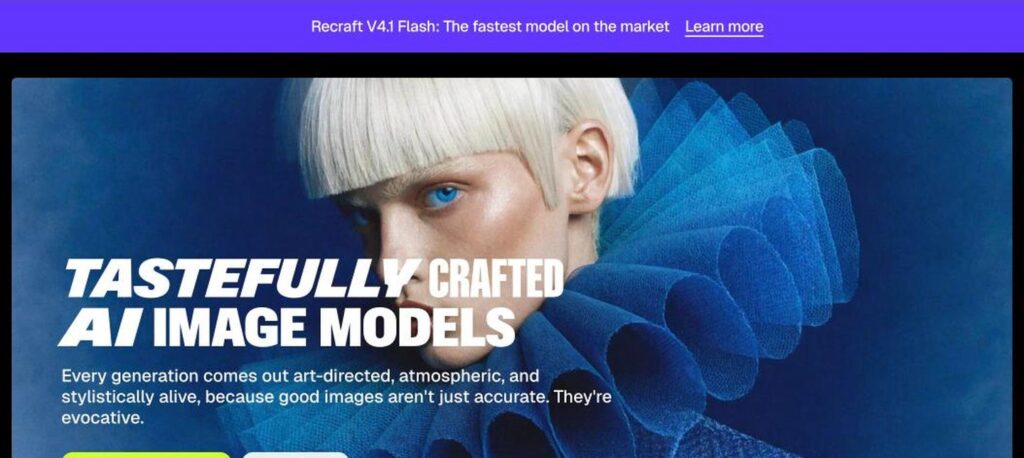
Recraft is an AI image generator and design tool built for designers and brands. It creates raster images, editable vector graphics, icons and mockups, keeps a consistent style with custom styles and brand colors, and also gives access to models like Nano Banana, GPT Image and Flux. There is a free plan, and Basic costs $10 a month billed yearly.
What is Recraft?
Recraft is known for its own image models, which have ranked at the top of public image model leaderboards, and for being one of the few AI tools that can generate true vector graphics (SVG). This makes it popular for logos, icons, illustrations and marketing assets that need to scale and stay editable.
Beyond generation, Recraft works like a design canvas. You can create custom styles from reference images, apply brand color palettes, use a magic wand to edit parts of an image, upscale, remove backgrounds and create mockups. Paid plans add other leading image and video models, commercial rights and private generations.
Recraft key features
Recraft models
Use Recraft’s own high-quality image models, including V4.1.
Vector generation
Create editable SVG illustrations, logos and icons.
Custom styles
Train a style from reference images for consistent output.
Brand color palettes
Generate images in your exact brand colors.
Infinite canvas
Design and arrange assets on a flexible canvas.
AI editing tools
Magic wand, inpainting, background removal and creative upscale.
Mockups
Place designs on products and scenes.
Other top models
Access Nano Banana, GPT Image, Flux and video models on paid plans.
API
Generate images and vectors at scale.
Recraft pricing plans (2026)
Recraft has a free plan and three paid plans. Prices below are per month billed yearly, which saves 20%. Prices exclude VAT.
Free
Limited daily credits, Recraft models only, public images and no commercial use.
Basic
1,000 credits a month, commercial rights, private images, other image models and up to 5 parallel generations.
Pro
2,000+ credits a month, video generation models, priority generation and up to 10 parallel generations.
Teams
Per seat. Shared workspace and styles, central billing, SSO and 24/7 support.
Monthly billing costs about 20% more. Higher credit tiers are available on Pro and Teams. Check the latest prices on the official Recraft pricing page.
How to use Recraft
- 1
Go to recraft.ai and sign up for free.
- 2
Choose image, vector or icon and pick a style.
- 3
Write a prompt and generate your design.
- 4
Edit with the magic wand, colors and upscale tools.
- 5
Export as PNG, JPG or SVG for your project.
Who should use Recraft?
Graphic designers
Create vectors, icons and illustrations fast.
Marketing teams
Make on-brand campaign visuals.
Startups
Design logos and brand assets.
Developers
Generate images and vectors through the API.
Pros and cons
What we like
- True vector (SVG) generation
- Strong brand style consistency
- Top-quality own image models
- Free plan to try it out
Watch out for
- Free images are public and non-commercial
- Credits limit heavy use
- Video models need Pro
- Many tools to learn
Best Recraft alternatives
Recraft is one of the best AI design tools for brand assets, especially if you need vectors, icons and a consistent style. Its own models are excellent, and paid plans add commercial rights and other top models at a fair price.
Recraft FAQs
Is Recraft free?
Yes. Recraft has a free plan with limited daily credits, but images are public and not for commercial use.
How much does Recraft cost?
Basic costs $10, Pro $16 and Teams $18 per seat a month billed yearly.
Can Recraft make vector images?
Yes. Recraft generates editable SVG vector graphics, icons and illustrations.
Can I use Recraft images commercially?
Yes, on paid plans, which include full ownership and commercial rights.
What models does Recraft offer?
Recraft offers its own models plus Nano Banana, GPT Image, Flux, Seedream and video models on paid plans.
Does Recraft have an API?
Yes. Recraft offers an API for image and vector generation.