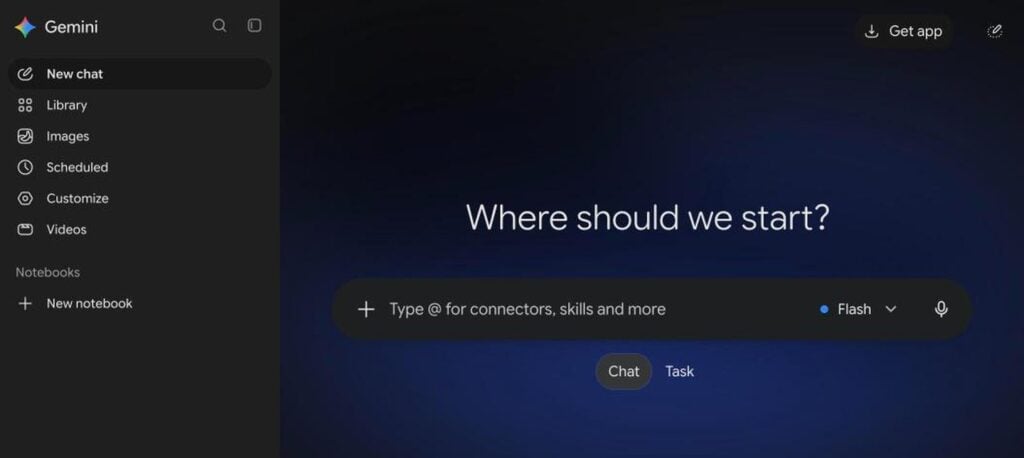
Google Gemini is Google’s AI assistant. It answers questions, writes and summarises, does Deep Research, creates images and videos, and works inside Gmail, Docs, Drive and Android. The Gemini app is free to use, and paid Google AI plans start at $7.99 a month.
What is Google Gemini?
Gemini is Google’s family of AI models and the name of its AI assistant app. You can chat with it, upload files and images, ask it to research a topic, or create images and short videos. It replaced Google Assistant on many Android phones.
Gemini is deeply connected to Google services. It can read and summarise your Gmail, find files in Drive, help write in Docs, and plan with Calendar and Maps. Paid Google AI plans add more powerful models, higher limits and extra storage.
Google Gemini key features
AI chat
Ask questions, write, brainstorm and code in natural language.
Deep Research
Researches many websites and writes a detailed report.
Image creation
Create and edit images with Google image models.
Video generation
Make short videos with Veo on paid plans.
Gemini Live
Talk with Gemini by voice or share your camera and screen.
Google apps
Works with Gmail, Docs, Drive, Calendar, Maps and YouTube.
File analysis
Upload PDFs, docs and images to summarise or ask questions.
Gems
Create custom AI helpers for repeat tasks.
NotebookLM
Expanded access to Google’s AI notebook on paid plans.
Google Gemini pricing plans (2026)
Gemini has a free version and paid Google AI plans. Paid plans add better models, higher limits, more storage and extra Google benefits.
Free
Gemini app with fast models, basic image creation and limited usage.
Google AI Plus
More access to advanced models, video creation and 200GB storage.
Google AI Pro
Full model lineup, Deep Research, Gemini in Gmail and Docs, and 5TB storage.
Google AI Ultra
Highest limits, newest models and agents, and 20TB storage.
Prices checked in October 2026 (USD). Prices and features vary by country, and a higher Ultra tier is also available. Confirm on the official Google AI plans page.
How to use Google Gemini
- 1
Go to gemini.google.com and sign in with your Google account.
- 2
Type or speak your question in the chat box.
- 3
Upload a file or image if you want Gemini to analyse it.
- 4
Use tools like Deep Research, image creation or Canvas for bigger tasks.
- 5
Connect Google apps in settings to use Gmail, Drive and Calendar with Gemini.
Who should use Google Gemini?
Students
Explain topics, summarise notes and study faster.
Professionals
Draft emails, documents and reports in Google apps.
Researchers
Run Deep Research on any topic.
Creators
Create images and short videos from prompts.
Pros and cons
What we like
- Free and easy to start
- Best integration with Google apps
- Strong research and multimodal skills
- Paid plans include lots of storage
Watch out for
- Best models need a paid plan
- Some features vary by country
- Privacy concerns with connected Google data
- Answers can still be wrong
Best Google Gemini alternatives
Google Gemini is one of the best AI assistants, especially if you already use Gmail, Docs and Android. The free version is very capable, and Google AI Pro is great value with its storage and Deep Research.
Google Gemini FAQs
Is Google Gemini free?
Yes. The Gemini app is free with a Google account. Paid Google AI plans start at $7.99/month.
How much does Gemini Pro cost?
Google AI Pro costs $19.99/month in the US and includes advanced Gemini models and 5TB storage.
Is Gemini better than ChatGPT?
Both are excellent. Gemini is best for Google app users, while ChatGPT has a larger ecosystem of features and GPTs.
Can Gemini create images and videos?
Yes. Gemini can create images, and paid plans can create short videos with Veo.
Does Gemini work in Gmail and Docs?
Yes. Gemini works inside Gmail, Docs, Drive and other Google apps, with more features on paid plans.
Who makes Gemini?
Gemini is made by Google and Google DeepMind. It launched as Bard in 2023 and was renamed Gemini in 2024.