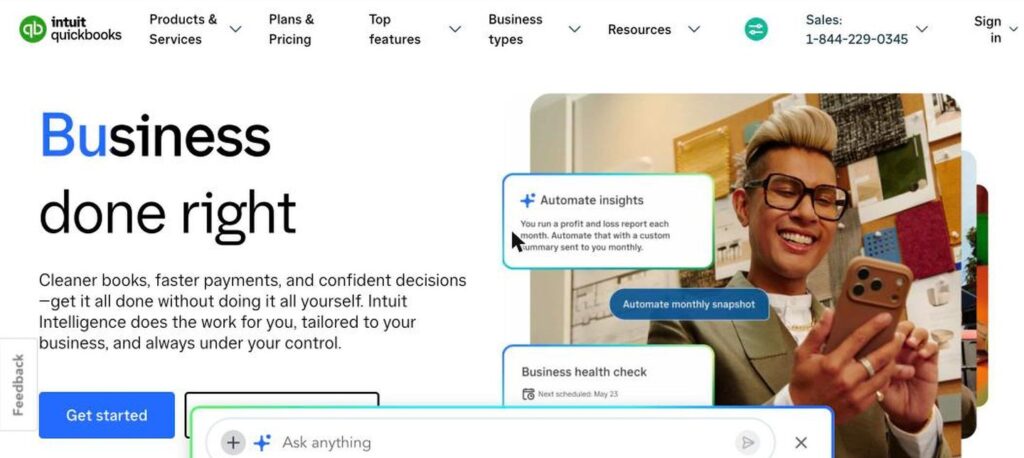
QuickBooks is one of the most popular accounting software tools for small businesses. QuickBooks Online uses Intuit Intelligence, Intuit’s AI, to categorise expenses, chase invoices, find tax deductions and answer questions about your business. There is a free QuickBooks plan for getting paid, and QuickBooks Online plans start at $38 a month.
What is QuickBooks?
QuickBooks Online helps businesses track income and expenses, send invoices, accept payments, run payroll and create financial reports in one place. It connects to bank accounts and thousands of business apps.
Intuit Intelligence adds AI throughout the product. It can categorise transactions, maximise tax deductions, automate routine tasks, run business reports from a chat, and send summaries so owners spend less time on bookkeeping.
QuickBooks key features
Intuit Intelligence
AI that handles busywork and answers business questions.
Auto categorisation
AI sorts expenses and transactions for you.
Invoicing and payments
Send invoices and accept card and ACH payments.
Bank feeds
Connect bank accounts and match transactions.
Financial reports
Profit and loss, balance sheet and custom reports.
Tax deductions
Find and track deductible expenses.
Payroll add-on
Run payroll and pay employees.
Inventory and projects
Track stock and project profitability on higher plans.
App integrations
Connect with hundreds of business apps.
QuickBooks pricing plans (2026)
QuickBooks has a free plan for getting organised and paid, plus QuickBooks Online plans with more users and features. New customers often get a discount for the first months.
QuickBooks Free
Get organised and get paid, no credit card required.
Simple Start
Core bookkeeping, invoicing and reports for 1 user.
Essentials
Bill management and time tracking for up to 3 users.
Plus
Inventory, project tracking and up to 5 users.
List prices checked in October 2026 (USD). New customers may get 50% off for the first 3 months. Advanced costs $340/month, and payroll is extra. Confirm on the official QuickBooks pricing page.
How to use QuickBooks
- 1
Go to quickbooks.intuit.com and choose a plan or start with QuickBooks Free.
- 2
Answer setup questions about your business.
- 3
Connect your bank accounts and cards.
- 4
Let Intuit Intelligence categorise transactions and review its suggestions.
- 5
Send invoices, track expenses and run reports.
Who should use QuickBooks?
Small businesses
Manage books, invoices and payments.
Freelancers
Track income and expenses for taxes.
Bookkeepers
Manage many client books.
Growing companies
Add inventory, projects and payroll.
Pros and cons
What we like
- Trusted, widely used accounting platform
- Helpful AI for bookkeeping tasks
- Large app and accountant network
- Free plan to start
Watch out for
- Prices have increased in recent years
- Advanced features need higher plans
- Payroll costs extra
- Can feel complex for very small businesses
Best QuickBooks alternatives
QuickBooks is still the go-to accounting software for many small businesses, and its AI makes bookkeeping faster. It is not the cheapest option, so compare plans and use the first-months discount.
QuickBooks FAQs
Is QuickBooks free?
QuickBooks offers a free plan to get organised and paid. QuickBooks Online plans start at $38/month.
How much does QuickBooks Online cost?
Simple Start is $38, Essentials $85, Plus $140 and Advanced $340 per month at list price.
What is Intuit Intelligence?
Intuit Intelligence is the AI in QuickBooks that categorises expenses, automates tasks and answers business questions.
Can QuickBooks do payroll?
Yes. QuickBooks Payroll is available as an add-on.
Is QuickBooks good for freelancers?
Yes. Simple Start covers invoicing, expense tracking and tax reports for freelancers.
Who makes QuickBooks?
QuickBooks is made by Intuit Inc., based in Mountain View, California.