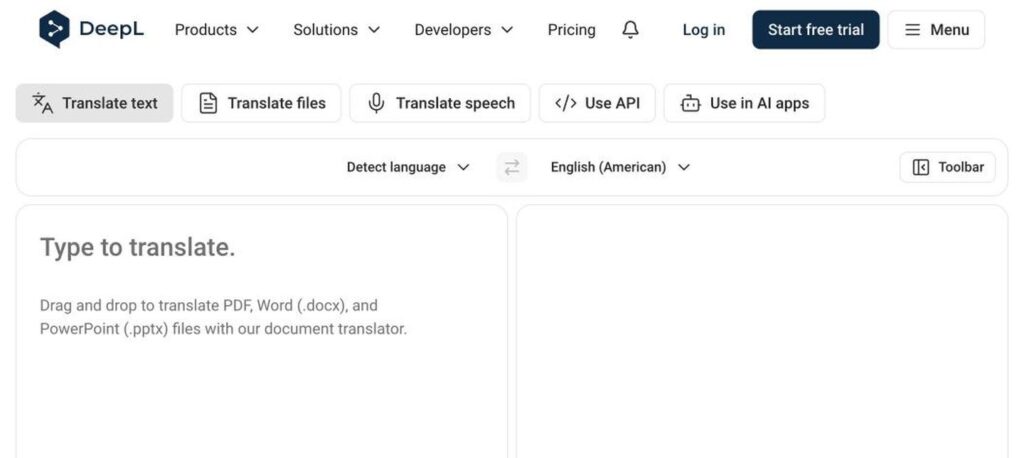
DeepL is an AI translation tool known for natural, accurate translations. It translates text, full documents (PDF, Word, PowerPoint) and speech, and DeepL Write helps improve your writing. The basic translator is free, and DeepL Pro starts at $8.74 a month billed yearly.
What is DeepL?
DeepL is one of the most trusted AI translators. Many users prefer it over other tools because translations sound more natural and keep the right tone. It supports over 30 languages and is used by companies around the world.
Besides text translation, DeepL can translate whole files while keeping the formatting, translate live speech with DeepL Voice, and improve writing with DeepL Write. DeepL Pro adds more limits, stronger data security and team features.
DeepL key features
Text translation
Fast, natural translations between 30+ languages.
Document translation
Translate PDF, Word and PowerPoint files with formatting kept.
DeepL Write
Improve grammar, style and tone of your writing.
DeepL Voice
Translate spoken conversations and meetings.
Glossaries
Set fixed translations for your key terms.
Formal and informal tone
Choose the right formality for many languages.
Desktop and mobile apps
Translate anywhere with apps and shortcuts.
Browser extension
Translate websites and text in your browser.
API
Add DeepL translation to your own apps.
DeepL pricing plans (2026)
DeepL has a free translator and DeepL Pro plans for individuals and teams. Pro plans include data security, which means your texts are not stored or used for training.
Free
Text translation with limits and a few document translations.
Individual
More translations, document translation and data security for one user.
Team
Per user. Higher limits, glossaries, DeepL Voice minutes and admin tools.
Business
Per user. Advanced management and the most features for companies.
Prices checked in October 2026 (USD, billed yearly, US region). Prices differ by country. A 30-day free trial is available on some plans. Confirm on the official DeepL Pro page.
How to use DeepL
- 1
Go to deepl.com/translator and choose your source and target languages.
- 2
Type or paste your text, or drag in a document.
- 3
Pick a formal or informal tone if needed.
- 4
Review the translation and click words to see alternatives.
- 5
Copy or download your translation, or upgrade to Pro for more.
Who should use DeepL?
Professionals
Translate emails, reports and contracts.
Businesses
Communicate with global customers and teams.
Students
Understand and translate study material.
Translators
Speed up first drafts with high quality output.
Pros and cons
What we like
- Very natural, accurate translations
- Keeps document formatting
- Free version is useful
- Strong privacy on Pro plans
Watch out for
- Fewer languages than Google Translate
- Free plan has limits
- Team plans can be costly
- Specialised terms may still need review
Best DeepL alternatives
DeepL is one of the best AI translators for quality. It is great for business and professional use where tone matters. Use the free version for quick tasks and DeepL Pro for documents and privacy.
DeepL FAQs
Is DeepL free?
Yes. DeepL has a free translator with limits. DeepL Pro starts at $8.74/month billed yearly in the US.
Is DeepL better than Google Translate?
Many users find DeepL more natural for supported languages, while Google Translate supports far more languages.
Can DeepL translate PDFs?
Yes. DeepL can translate PDF, Word and PowerPoint files and keep the formatting.
Is DeepL safe for confidential texts?
DeepL Pro plans do not store your texts or use them for training.
How many languages does DeepL support?
DeepL supports more than 30 languages and keeps adding new ones.
Where is DeepL based?
DeepL is based in Cologne, Germany, and launched its translator in 2017.