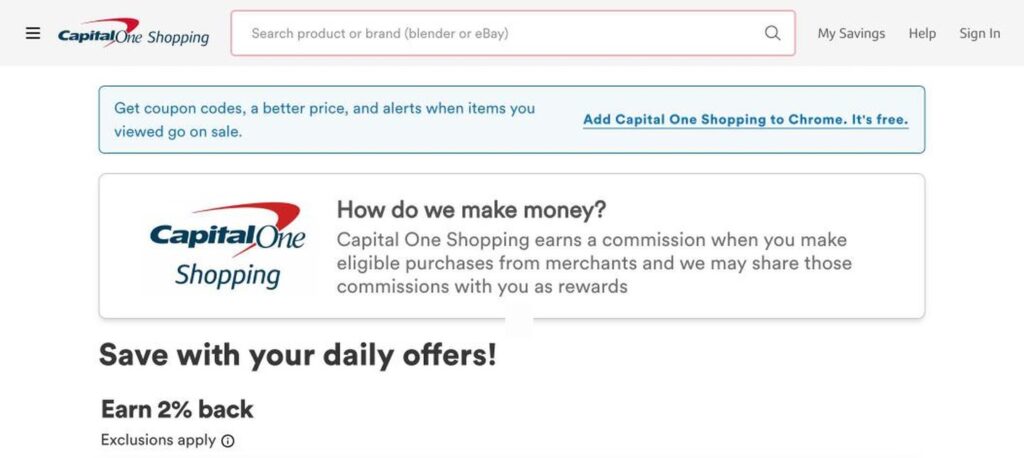
Capital One Shopping is a free browser extension and app that automatically finds and applies coupon codes, compares prices across retailers and earns shopping rewards at more than 30,000 online stores. It is 100% free, and you do not need a Capital One credit card to use it.

What is Capital One Shopping?
Capital One Shopping started as Wikibuy, a price comparison startup that Capital One acquired in 2018 and later renamed. It is now one of the most popular shopping extensions in the US. While you shop online, it checks for coupon codes, better prices from other sellers and available rewards, and shows them in a small pop-up.
The service is free because Capital One earns a commission from merchants when you buy through it, and it shares part of that commission with you as rewards. You can redeem rewards for gift cards. It also sends price-drop alerts for products you have viewed or bought.
Capital One Shopping key features
Automatic coupons
Finds and applies coupon codes at checkout.
Price comparison
Shows if the same item is cheaper at another retailer.
Shopping rewards
Earn rewards at thousands of stores and redeem for gift cards.
Daily offers
Browse daily deals and higher rewards rates.
Activation bonuses
Get flat bonus rewards on qualifying first purchases.
Price-drop alerts
Get notified when items you viewed go on sale.
Price history
See if a deal is really good before you buy.
Event tickets
Compare prices for event tickets across sites.
Mobile app
Save while shopping on your phone too.
Capital One Shopping pricing plans (2026)
Capital One Shopping is completely free. There are no paid plans, and you do not need a Capital One card.
Free
Coupons, price comparison, rewards, price alerts and daily offers at 30,000+ stores.
Rewards rates vary by store and exclusions apply. Check current offers on the official Capital One Shopping website.
How to use Capital One Shopping
- 1
Go to capitaloneshopping.com and add the free extension to your browser.
- 2
Create a free account or continue with Capital One.
- 3
Shop online as usual at your favorite stores.
- 4
Click the pop-up to apply coupons or switch to a cheaper seller.
- 5
Collect rewards and redeem them for gift cards.
Who should use Capital One Shopping?
Online shoppers
Save money automatically at checkout.
Deal hunters
Compare prices before buying.
Families on a budget
Earn rewards on everyday purchases.
Holiday shoppers
Track price drops on gift ideas.
Pros and cons
What we like
- 100% free to use
- No Capital One card needed
- Works at 30,000+ stores
- Coupons, price comparison and rewards in one
Watch out for
- Collects shopping data to work
- Rewards are paid as gift cards, not cash
- Not every coupon works
- Mainly focused on US stores
Best Capital One Shopping alternatives
Capital One Shopping is one of the best free shopping extensions in the US. It combines coupons, price comparison and rewards in one tool, and you do not need to be a Capital One customer. Just be comfortable with it seeing your shopping activity.
Capital One Shopping FAQs
Is Capital One Shopping free?
Yes. Capital One Shopping is 100% free and has no paid plans.
Do I need a Capital One card?
No. Anyone can use Capital One Shopping without a Capital One credit card.
How does Capital One Shopping make money?
It earns a commission from merchants when you buy and shares some of it with you as rewards.
How do I redeem Capital One Shopping rewards?
You can redeem rewards for gift cards from popular retailers.
Is Capital One Shopping safe?
It is run by Capital One, a major US bank, but like all shopping extensions it needs access to your browsing on shopping sites.
Does Capital One Shopping work on mobile?
Yes. There is a mobile app as well as browser extensions.